Samsung 870 EVO vs Crucial MX500: Which SATA SSD Should You Buy?

If you’re looking for a reliable 2.5-inch SATA SSD, the Samsung 870 EVO and Crucial MX500 are two of the most familiar options. Both use the SATA III interface, both are built around TLC NAND, and both come with a 5-year limited warranty.

So which one should you buy?

The Samsung 870 EVO is the better overall choice if the two drives are similarly priced. It has a small advantage in sequential write speed and higher-rated endurance. However, the Crucial MX500 can be the better deal when it is noticeably cheaper. For everyday Windows use, gaming, and general storage, the real-world difference between them is relatively small.

If you’re upgrading from a hard drive, either SSD will feel dramatically faster. If you’re choosing between these two SSDs specifically, price and capacity may matter more than the benchmark numbers.

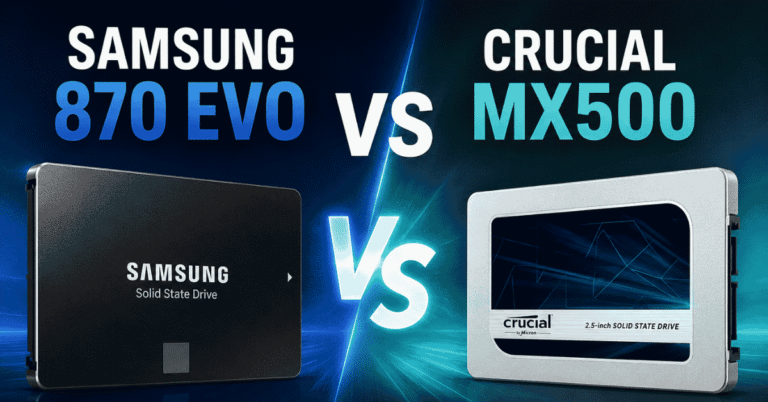
samsung 870 evo vs crucial mx500

Samsung 870 EVO vs Crucial MX500: Specs at a Glance

FeatureSamsung 870 EVOCrucial MX500
InterfaceSATA III 6 Gb/sSATA III 6 Gb/s
Form factor2.5-inch2.5-inch
NANDTLCTLC
Sequential readUp to 560 MB/sUp to 560 MB/s
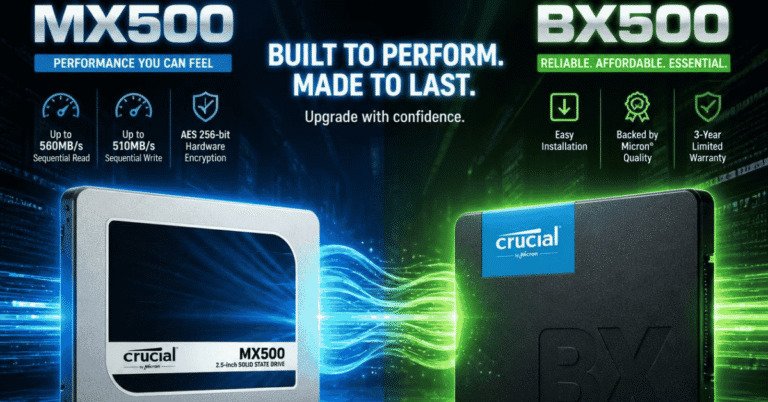
Sequential writeUp to 530 MB/sUp to 510 MB/s
DRAMYesYes
Warranty5 years5 years
Best suited forOverall performance and heavier useValue-focused upgrades

Specifications between Samsung 870 EVO and Crucial MX500 can vary by capacity, so this table focuses on the characteristics most relevant to choosing between the two drives.

What’s the Real Difference Between the 870 EVO and MX500?

On paper, the Samsung 870 EVO comes out ahead. But the gap isn’t nearly as dramatic as the product names and benchmark charts might suggest.

Speed: Samsung Has a Small Edge

Both drives are close to the practical limits of a SATA III connection.

The 870 EVO is rated for sequential reads up to 560 MB/s and sequential writes up to 530 MB/s. The MX500 reaches up to 560 MB/s for reads and 510 MB/s for writes.

That gives Samsung the advantage in sequential write performance, but it’s not a difference most people will notice during everyday use.

Booting Windows, opening applications, browsing the web, and launching most games should feel broadly similar on either drive. The difference matters more when you’re regularly moving large files or running heavier write workloads.

In other words, don’t choose the 870 EVO expecting it to feel twice as fast as the MX500. It isn’t.

NAND and DRAM: Both Have a Solid Setup

Neither drive is a bare-bones SATA SSD.

The 870 EVO uses TLC NAND and includes DRAM, while the MX500 also uses TLC NAND with a DRAM cache. That matters because both are designed as mainstream SSDs rather than ultra-budget drives that cut costs elsewhere.

For a typical desktop or laptop upgrade, you don’t need to spend much time worrying about which one has the more impressive specifications here. Both have a proven configuration for everyday workloads.

Endurance: The 870 EVO Has the Higher Rating

Endurance is one area where Samsung has a more obvious advantage.

For example, Samsung rates the 1TB 870 EVO at 600 TBW, while Crucial rates the 1TB MX500 at 360 TBW. The rated TBW increases with capacity on both product lines.

That doesn’t mean an MX500 will fail after exactly 360 TB of writes. TBW is an endurance rating used for the drive’s warranty and expected workload, not a countdown timer.

For normal home use, either drive should provide plenty of endurance. If you’re doing frequent large writes, video work, or other write-heavy tasks, however, the 870 EVO’s higher rating gives it an advantage.

Performance: Will You Actually Notice a Difference?

This is where the comparison gets more interesting.

If you look only at sequential benchmark numbers, the 870 EVO wins. In everyday use, however, the difference is much harder to spot.

Windows and Everyday Use

Both drives can make an older PC feel dramatically more responsive when replacing a mechanical hard drive.

Windows should boot much faster, applications should open more quickly, and general file access should feel far less sluggish.

If you’re moving from an HDD to either of these SSDs, the upgrade itself matters far more than the choice between the 870 EVO and MX500.

If you’re already using a decent SATA SSD, switching from one to the other is unlikely to produce the same kind of noticeable improvement.

Gaming

For gaming, the two drives are also quite close.

Game load times depend on more than sequential read speed, and the difference between two good SATA SSDs is usually small enough that you shouldn’t choose one solely because its advertised read/write numbers are higher.

Both are perfectly usable for storing and running games.

If you’re building a new gaming PC with an available M.2 NVMe slot, though, it makes more sense to consider an NVMe SSD. The 870 EVO and MX500 are most appealing when your system specifically needs a 2.5-inch SATA drive or you’re upgrading an older machine.

Large File Transfers

This is one scenario where the 870 EVO’s higher sequential write rating can work in its favor.

If you frequently move large video files, disk images, backups, or other large datasets, the extra write performance gives Samsung a small advantage.

Just keep expectations realistic. The SATA interface remains the limiting factor, so neither drive can approach the sequential speeds of modern PCIe NVMe SSDs.

Which One Should You Buy?

The easiest way to choose is to forget the benchmark charts for a moment and look at what you’re actually doing with the drive.

Choose the Samsung 870 EVO if:

  • The price difference is relatively small.
  • You want the stronger all-around option.
  • You regularly write large amounts of data.
  • You prefer the higher-rated endurance.
  • You’re keeping the SSD for several years and don’t mind paying a little more.

Choose the Crucial MX500 if:

  • It’s significantly cheaper than the 870 EVO.
  • You’re upgrading an older PC or laptop.
  • Your workload is mostly Windows, applications, games, and general storage.
  • You’d rather spend the difference on additional capacity.
  • You don’t expect heavy, sustained write workloads.

For most people, capacity matters more than a small performance difference. If a cheaper MX500 lets you move from 1TB to 2TB without stretching your budget, that can be a more meaningful upgrade than choosing the slightly faster 870 EVO.

Price and Value: When Is the 870 EVO Worth Paying More For?

SSD prices change frequently, so there’s little point in treating one particular price as a permanent advantage.

Instead, look at the gap between the two drives when you’re ready to buy.

If the 870 EVO and MX500 are priced very close to each other, I’d choose the 870 EVO. Its slightly higher write performance and endurance make the premium easier to justify.

If the MX500 is substantially cheaper, the decision becomes less obvious. For everyday use, you’re unlikely to feel a dramatic difference, so saving the money—or putting it toward a larger capacity—can make more sense.

This is particularly true if you’re upgrading an older computer where the SATA interface itself is already the performance bottleneck.

Samsung 870 EVO vs MX500: Final Verdict

The Samsung 870 EVO is the better overall pick, but the Crucial MX500 can be the better value.

The 870 EVO has the edge in sequential write speed and rated endurance, making it the one I’d choose when prices are close or the drive will see heavier workloads.

The MX500, meanwhile, remains a sensible choice when you find it at a significantly lower price. For everyday computing, gaming, and general storage, its real-world performance is close enough to the 870 EVO that paying substantially more for Samsung doesn’t always make sense.

There’s also a bigger question to consider: do you actually need a SATA SSD?

If you’re building a new PC and have an available M.2 slot, a modern NVMe SSD is generally the more natural choice. But if you’re upgrading a laptop, desktop, or older system that uses a 2.5-inch SATA drive, both the 870 EVO and MX500 are still reasonable options.

Our pick: Samsung 870 EVO if prices are close; Crucial MX500 if it offers a meaningful saving.

FAQs

Is the Samsung 870 EVO better than the Crucial MX500?

Overall, yes. The 870 EVO has a higher sequential write rating and higher rated endurance at comparable capacities. However, the difference in everyday performance is relatively small, so the MX500 can be the better buy when it costs considerably less.

Is the 870 EVO faster than the MX500?

On paper, yes. Both are rated for up to 560 MB/s sequential reads, while the 870 EVO reaches up to 530 MB/s sequential write speeds compared with 510 MB/s for the MX500. In everyday tasks, however, most users are unlikely to notice a major difference.

Is the Crucial MX500 good for gaming?

Yes. The MX500 is more than capable of running games and will provide a significant improvement over a mechanical hard drive. If you’re building a new gaming PC, however, an NVMe SSD is generally a better choice when your system supports one.

Should you buy a SATA SSD or NVMe SSD in 2026?

If you’re building a new computer with an M.2 NVMe slot, I’d generally choose NVMe. SATA SSDs still make sense for older systems, laptops with 2.5-inch drive bays, additional storage, or when you want an affordable, compatible upgrade.

Similar Posts

Leave a Reply

Your email address will not be published. Required fields are marked *