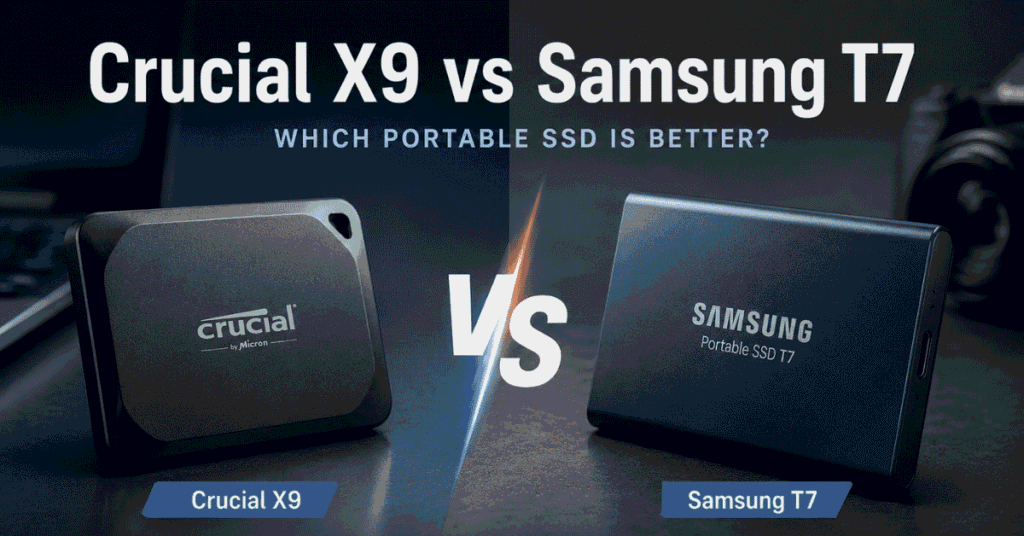
Comparing the Crucial X9 vs Samsung T7? See how they differ in real-world performance, portability, compatibility, and value to find the best portable SSD for your needs.
Crucial X9 vs Samsung T7: Which Portable SSD Is Better?
Portable SSDs have reached a point where almost every well-made drive is “fast enough” for everyday use. That sounds like good news, but it also makes buying one more confusing. When two drives advertise similar speeds, support the same devices, and cost roughly the same, deciding which one is actually worth your money isn’t as straightforward as comparing spec sheets.
That’s exactly why the Crucial X9 and Samsung T7 are so often compared.
They’re aimed at the same type of buyer: someone who wants fast, reliable external storage for a laptop, desktop, camera, or gaming device without spending flagship money. Whether you’re backing up family photos, carrying work files between offices, editing videos on a MacBook, or simply running out of internal storage, both drives promise to do the job quickly and reliably.
On paper, the differences look small. In daily use, however, they appeal to different people.
The Crucial X9 has become a favorite among value-conscious buyers because it delivers excellent everyday performance at a competitive price. The Samsung T7, meanwhile, has earned its reputation through years of consistent reliability and remains one of the safest recommendations for creators and professionals.
This comparison isn’t about finding the fastest portable SSD.
It’s about understanding which one makes more sense for the way you actually use your storage.
Instead of focusing solely on benchmark numbers, we’ll look at the factors that matter in everyday use—portability, sustained file transfers, compatibility, reliability, and overall value—so you can confidently choose the drive that best fits your workflow.
Quick Answer
If you only need the recommendation, here it is:
| If You | Buy | Why |
| Want the best overall value | Crucial X9 | Delivers a similar everyday experience while usually costing less. |
| Frequently edit videos or photos | Samsung T7 | Better suited to sustained workloads and creative projects. |
| Need extra storage for a MacBook | Either | Both work well with macOS and Time Machine. |
| Mostly store documents, photos, and backups | Crucial X9 | You’ll rarely notice a meaningful performance difference. |
| Prefer a drive with a longer track record | Samsung T7 | A mature product with years of proven reliability. |
For most buyers, the Crucial X9 offers the better value.
If your SSD is mainly used for backups, file storage, schoolwork, office documents, or occasional media transfers, it’s difficult to justify paying significantly more for the Samsung T7.
The T7 becomes the better choice when your workflow involves large, repeated file transfers, such as editing 4K videos, importing RAW photos after every shoot, or moving hundreds of gigabytes of data on a regular basis.
Crucial X9 vs Samsung T7: Specifications Comparison
Before looking at real-world performance, here’s a quick overview of the specifications that actually influence the buying decision.
| Feature | Crucial X9 | Samsung T7 |
| Interface | USB 3.2 Gen 2 (10Gbps) | USB 3.2 Gen 2 (10Gbps) |
| Max Read Speed | Up to 1,050 MB/s | Up to 1,050 MB/s |
| Max Write Speed | Up to 975 MB/s | Up to 1,000 MB/s |
| Capacity Options | 1TB, 2TB, 4TB | 1TB, 2TB, 4TB |
| Connector | USB-C | USB-C |
| Operating Systems | Windows, macOS, Android, ipadOS, Consoles | Windows, macOS, Android |
| Warranty | 5 Years | 3 Years |
Looking at the table alone, it’s easy to conclude that these drives are almost the same, and to some extent, that’s true.
For everyday tasks such as backing up documents, storing photos, or carrying files between devices, you’ll likely see very similar performance from both.
The differences become more noticeable in areas that aren’t obvious from a specification sheet, such as how each drive handles long file transfers, how portable it feels, how it integrates into your workflow, and ultimately whether paying more translates into a better ownership experience.
Those are the differences we’ll focus on in the rest of this comparison.
The Biggest Differences That Actually Matter
On paper, the Crucial X9 and Samsung T7 look remarkably similar. They use the same USB 3.2 Gen 2 interface, offer comparable peak transfer speeds, and support the same major operating systems.
That’s why many buyers assume there’s little separating them.
The reality is a bit different.
After comparing the two drives, we found that the biggest differences aren’t reflected by benchmark numbers. Instead, they come down to four areas you’ll notice over months—or even years—of ownership:
- Build quality and portability
- Performance during large file transfers
- Thermal management and consistency
- Overall user experience
If your typical day involves backing up photos, storing documents, or carrying files between devices, either drive will feel fast. But if you’re constantly transferring hundreds of gigabytes of footage or editing directly from an external SSD, those small differences become much more meaningful.
Rather than comparing every specification individually, let’s focus on the areas that actually influence your buying decision.
Build Quality & Portability
Because these are portable SSDs, design matters more than it does for an internal drive.
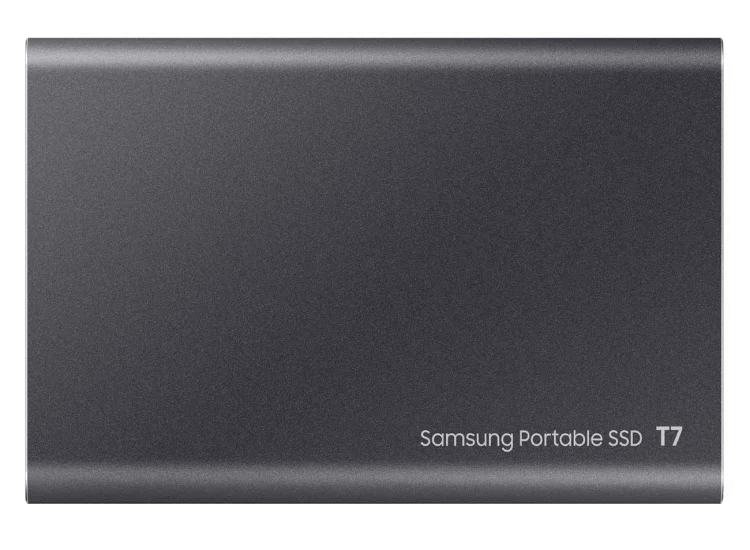
The Samsung T7 has a solid aluminum enclosure that immediately feels premium. It has a reassuring weight, resists flex well, and does an excellent job dissipating heat during longer workloads. If you frequently travel for work or carry your SSD alongside expensive camera equipment, the T7 feels like a product built with durability in mind.
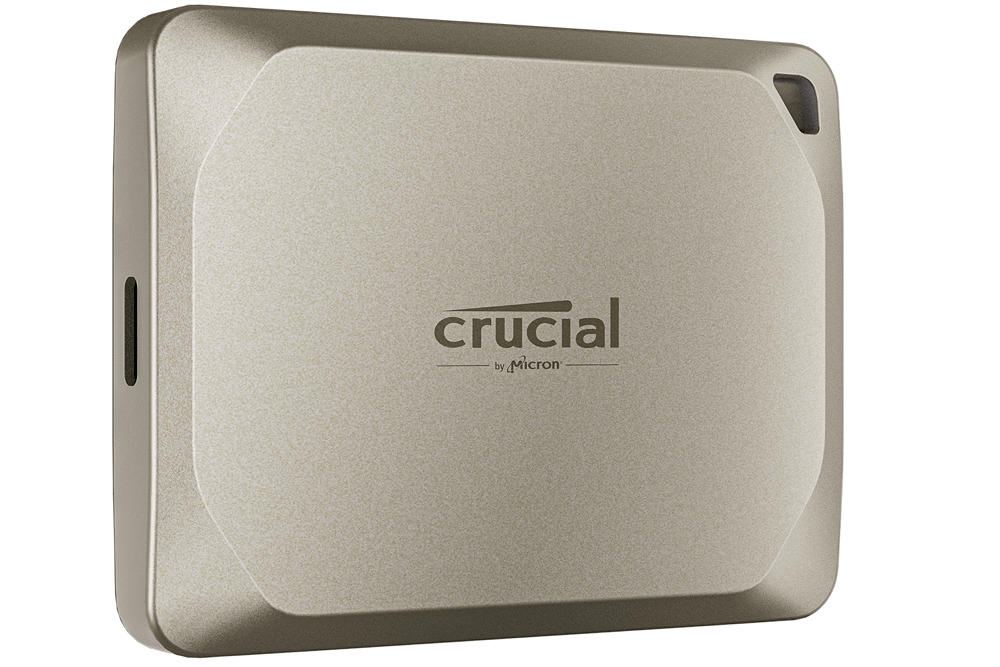
The Crucial X9 takes a different approach. It’s smaller, lighter, and easier to slip into a pocket or backpack. While it doesn’t have the same premium feel as the T7, its compact design is surprisingly convenient for everyday use. The built-in lanyard loop is also a practical touch if you often attach accessories to a camera bag or travel pack.
In day-to-day use, both drives are easy to carry. The choice comes down to what you value more: a premium metal enclosure or maximum portability.
💡Bottom line: Choose the Samsung T7 if you prefer a more premium build. Choose the Crucial X9 if you want a lighter, more travel-friendly SSD.
Real-World Performance
One of the biggest mistakes buyers make is focusing too much on benchmark scores.
For most people, the difference between 975 MB/s and 1,050 MB/s simply isn’t noticeable.
Where performance becomes more interesting is in real-world workloads.
Imagine you’re copying a 30GB folder of vacation photos, backing up your laptop before a trip, or moving a few videos between your desktop and MacBook. In these everyday situations, both drives complete the job quickly enough that you’d be hard-pressed to tell them apart without a stopwatch.
The story changes slightly when transfers become much larger.
If you’re importing hundreds of RAW photos after a wedding shoot or moving several hundred gigabytes of 4K footage, the Samsung T7 generally maintains its transfer speeds more consistently during long, sustained writes. The Crucial X9 still performs well, but it’s better suited to the shorter bursts of activity that most everyday users generate.
This distinction is worth keeping in perspective.
Most buyers don’t transfer hundreds of gigabytes every day. They copy documents, back up phones, organize photos, and occasionally move large files. For those tasks, the practical experience is remarkably similar.
💡Bottom line: If your workload is mostly everyday storage and backups, you’ll notice very little difference. For frequent large file transfers, the Samsung T7 has the edge.
Heat & Reliability
Heat is often mentioned in SSD reviews, but it’s rarely explained in a way that’s useful for buyers.
The important question isn’t which drive runs a few degrees cooler—it’s whether heat affects your daily experience.
For normal workloads, such as backing up files, storing photos, or transferring documents, neither SSD becomes excessively hot. Both are designed for everyday portable use and remain comfortable to handle during typical transfers.
During longer write sessions, the Samsung T7 generally maintains more consistent performance thanks to its mature thermal design. The Crucial X9 may slow slightly during extended transfers, but this usually isn’t something casual users will notice.
Reliability is another area where Samsung benefits from experience. The T7 has been on the market for several years and has built a strong reputation among photographers, creators, and business users. The Crucial X9 is newer, but it’s backed by Micron’s storage expertise and has quickly established itself as a dependable alternative.
For most consumers, either drive should provide years of reliable service when used as intended.
💡Bottom line: Reliability shouldn’t be a deciding factor for most buyers. Choose the Samsung T7 if long, sustained workloads are part of your routine; otherwise, the Crucial X9 is equally dependable for everyday use.
Compatibility & Ease of Use
Compatibility is one area where it’s difficult to separate these two drives because both perform exceptionally well.
Whether you’re using a Windows desktop, a MacBook, or a USB-C laptop, setup is straightforward. Plug in the drive, format it if necessary, and you’re ready to start transferring files.
Mac users can reformat either SSD for APFS and use it with Time Machine, while Windows users can begin using the drives almost immediately. Both also work well with many tablets, Android devices, and other USB-C hardware, making them versatile options if you regularly switch between devices.
Samsung offers a more polished software ecosystem through its management tools, including firmware updates and optional security features. Some users appreciate having those extra utilities, while others may never install them.
Crucial keeps things refreshingly simple. The X9 is essentially a plug-and-play device with very little setup required, which many casual users may actually prefer.
In everyday use, compatibility is unlikely to be the reason you choose one drive over the other.
💡Bottom line: Both SSDs work well across Windows, macOS, and most modern USB-C devices. Buy based on value and workload—not compatibility.
Price & Value: Is the Samsung T7 Worth Paying More?
Price is where this comparison becomes genuinely interesting.
Unlike performance, which only varies in certain workloads, every buyer notices the price difference immediately.
The challenge is deciding whether that difference actually translates into better value.
Rather than recommending one drive based on a fixed dollar amount—which quickly becomes outdated—we prefer using a simple rule of thumb.
| Price Difference | Our Recommendation |
| Less than 10% | Buy the Samsung T7 if you value its premium build and established reputation. |
| Around 10–20% | Either drive is a good choice. Base your decision on how you’ll use it. |
| More than 20% | The Crucial X9 offers significantly better value for most buyers. |
This approach works because the performance gap simply isn’t large enough to justify paying a substantial premium unless you’ll actually benefit from it.
If you’re backing up family photos once a month, storing work documents, or moving files between a laptop and desktop, the everyday experience is remarkably similar.
On the other hand, if your SSD is an essential part of your professional workflow, paying a little extra for the Samsung T7 can be money well spent. When your livelihood depends on transferring large files efficiently, consistency is often worth more than saving a few dollars.
The key is to buy the drive that matches your workload—not the one with the highest benchmark score.
💡Bottom line: If the Samsung T7 is only slightly more expensive, it’s a worthwhile upgrade. If the price gap grows significantly, the Crucial X9 becomes the smarter buy for almost everyone.
Final Verdict
The Crucial X9 and Samsung T7 aren’t competing because one is dramatically better than the other. They’re competing because they solve the same problem in slightly different ways.
The Crucial X9 stands out by offering excellent everyday performance at a price that’s often hard to beat. It’s the drive we’d recommend to most people because it delivers everything the average user needs without asking them to pay for performance they’ll rarely notice.
The Samsung T7 remains one of the best portable SSDs on the market for users with heavier workloads. Its premium build, consistent long-duration performance, and established reputation continue to make it an excellent choice for photographers, video editors, and professionals who rely on external storage every day.
Our Final Recommendations
| Category | Winner |
| Best Overall Value | 🏆 Crucial X9 |
| Best for Creative Professionals | 🏆 Samsung T7 |
| Best for Students | 🏆 Crucial X9 |
| Best for MacBook Users | 🏆 Tie |
| Best Portable SSD for Most Buyers | 🏆 Crucial X9 |
If we were buying a portable SSD today for general use, the Crucial X9 would be our first choice. It offers the best balance of price, performance, and portability for the vast majority of users.
The Samsung T7 is still an easy recommendation—but mainly for buyers whose workflow regularly pushes an external SSD beyond everyday file storage.