For years, Macrium Reflect was one of the most popular tools for disk cloning and system imaging on Windows PCs. However, after the discontinuation of the free version and rising subscription costs, many users have begun searching for a reliable Macrium Reflect alternative for SSD cloning, OS migration, and full-disk copy tasks.
If you’re upgrading from an HDD to an SSD, replacing a failing drive, or moving Windows to a new NVMe SSD, the right disk cloning software can save hours of reinstalling Windows and applications. In this guide, we’ll compare the best Macrium Reflect alternatives for disk cloning in 2026.
Why Are People Looking for a Macrium Reflect Alternative?
There are several reasons Windows users are moving away from Macrium Reflect:
1. The Free Version Was Discontinued
Many home users relied on the free edition for:
- SSD upgrades
- System migration
- Emergency disk replacement
- Backup & imaging
Existing users can still run it and download it from other websites like MajorGeeks.com, but without updates or security patches, it’s very risky—especially for critical backups or cloning.
2. The Interface Can Feel Overwhelmed
Although powerful, Macrium Reflect is often considered:
- Complex for beginners
- Overloaded with backup-focused features
- Harder to use for simple disk cloning
This also pushes many users toward simpler cloning tools with intuitive workflows.
3. SSD Upgrades Are More Common Than Ever
Modern users frequently need to:
- Migrate Windows to NVMe SSD
- Clone larger HDDs to smaller SSDs
- Replace failing hard drives
- Transfer data without boot errors
This has increased demand for cloning-focused software instead of traditional backup suites.
4. Subscription Pricing Became Expensive
Macrium Reflect’s subscription pricing feels too expensive for casual users who only need basic disk cloning or occasional system backups. Instead, cheaper (or free) alternatives often work great as well.
6 Macrium Reflect Alternatives for Disk Cloning
There are several strong alternatives to Macrium Reflect worth considering. The tools below are especially useful for SSD upgrades, HDD-to-SSD migration, full disk duplication, and transferring an existing Windows installation to a new drive with minimal downtime. Many of them simplify sector-by-sector cloning, boot drive migration, and 4K alignment for better SSD performance, making the upgrade process faster and more reliable.
Quick Comparison: 6 Best Macrium Reflect Alternatives at a Glance
| Software | Free Version | Hot Cloning | SSD Alignment | Best for | Ease of Use |
|---|---|---|---|---|---|
| Clonezilla | ✅ Yes (Open Source) | ❌ | ✅ Yes | Advanced Users | ⭐ |
| Rescuezilla | ✅ Yes (Open Source) | ❌ | ✅ Yes | Bare-metal Cloning | ⭐⭐ |
| Hasleo Disk Clone | ⚠️ Partial | ✅ Yes | ✅ Yes | Lightweight Cloning | ⭐⭐⭐⭐ |
| EaseUS Disk Copy | ❌ Paid | ✅ Yes | ✅ Yes | All-in-one Disk Cloning | ⭐⭐⭐⭐⭐ |
| AOMEI Cloner | ❌ Paid | ✅ Yes | ✅ Yes | OS Migration | ⭐⭐⭐⭐⭐ |
| Acronis True Image | ❌ Paid | ✅ Yes | ✅ Yes | Backup + Cloning | ⭐⭐⭐ |
1. EaseUS Disk Copy: Best Overall for Simple Disk Cloning
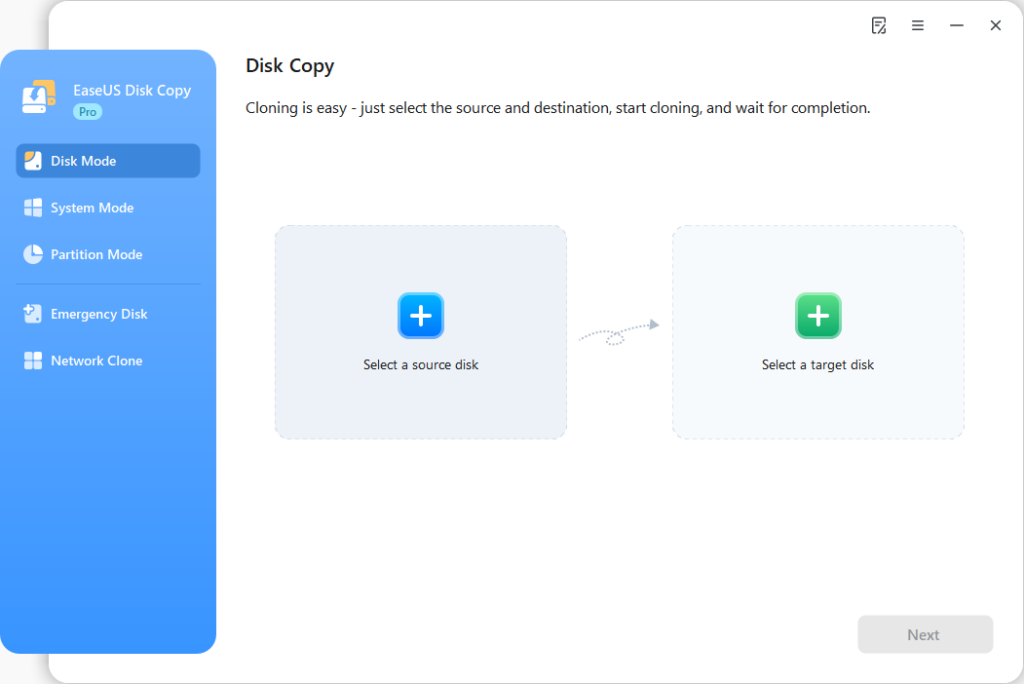
EaseUS Disk Copy is a dedicated cloning tool that supports disk, partition, and system cloning. If your main goal is simple and all-in-one disk cloning rather than backup imaging, EaseUS Disk Copy is one of the strongest Macrium Reflect alternatives available today.
Best For
- SSD upgrades
- Windows migration
- Replacing old drives
- Beginners who want a simple cloning process
Key Features
- Clone HDD to SSD
- Clone larger drive to smaller SSD
- Migrate Windows without reinstalling
- Sector-by-sector clone
- Bootable disk clone
- WinPE emergency disk support
| Pros | Cons |
| Very beginner-friendly Focused specifically on cloning Excellent for OS migration Supports Windows 11/10/8/7 | No free version |
➡️For users primarily upgrading storage or replacing disks, this is often the easiest transition from Macrium Reflect.
2. Clonezilla: Best Free Open-Source Alternative
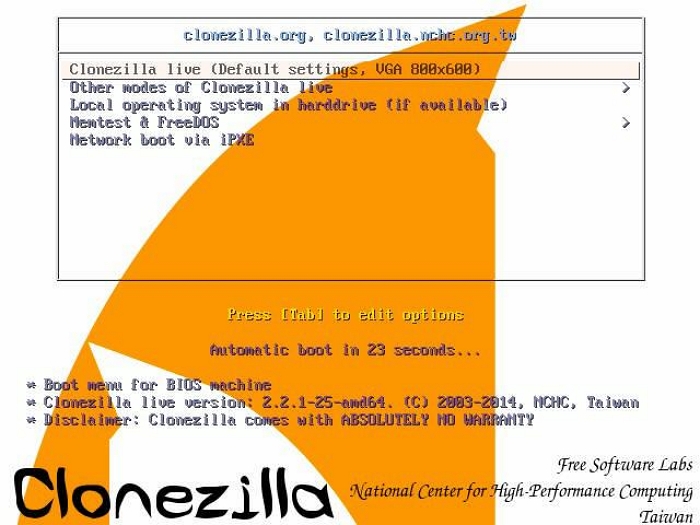
Clonezilla is the most mature and widely trusted open-source disk cloning tool available. It‘s not the easiest tool to use—its text-based menu interface has a learning curve—but it‘s arguably the most powerful free option.
Best For
- Advanced users
- IT professionals
- Offline disk imaging
Key Features
- Completely free
- Sector-level cloning
- Supports many file systems
- Network cloning support
| Pros | Cons |
| Extremely powerful Free forever Reliable imaging engine | Command-line style interface Not beginner-friendly No simple Windows GUI |
➡️While powerful, Clonezilla has a steeper learning curve than modern GUI-based cloning software.
3. Rescuezilla: Best Free GUI-Based Clonezilla Alternative
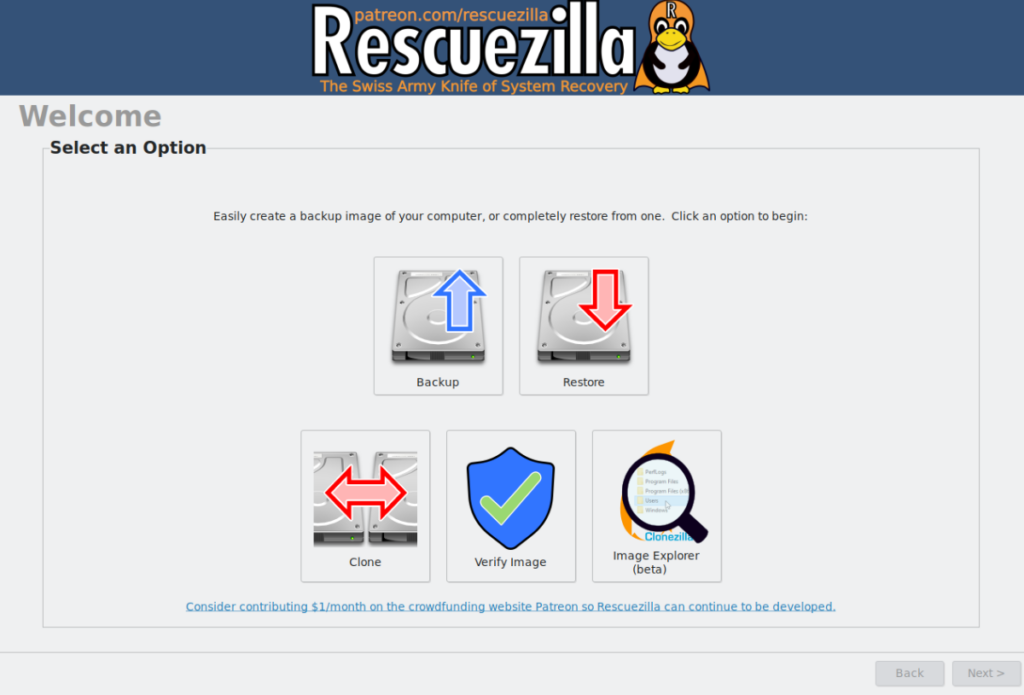
Rescuezilla is essentially Clonezilla wrapped in an intuitive graphical interface. It maintains full compatibility with Clonezilla image formats while offering a much simpler user experience. For many casual users, Rescuezilla hits the sweet spot: the power of Clonezilla‘s underlying technology without the intimidating text menus.
Best For
- Free disk imaging & cloning
- Beginner Linux users
- Simple rescue operations
Key Features
- GUI interface
- Disk imaging
- Bare-metal restore
| Pros | Cons |
| Easier than Clonezilla Open-source Compatible with existing Clonezilla images | Fewer enterprise features Smaller community ecosystem |
➡️Home users and light IT operators who want an open-source solution but find Clonezilla‘s interface difficult.
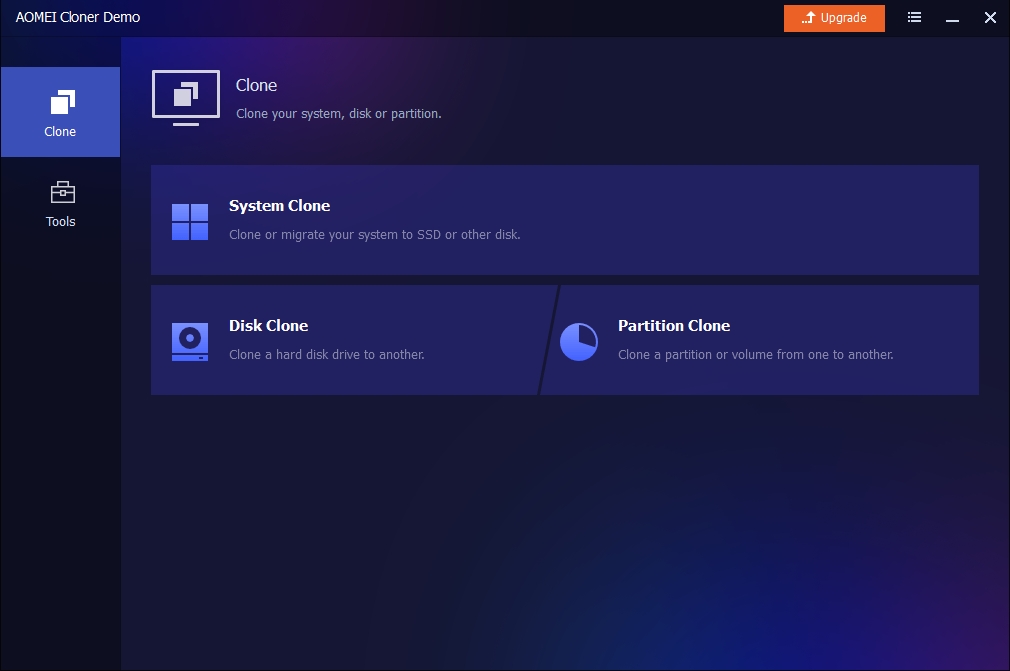
4. AOMEI Cloner: Another Dedicated Cloning Tool
Unlike AOMEI Backupper, which combines backup and cloning features, AOMEI Cloner is designed specifically for disk cloning and OS migration. This makes it a closer competitor to Macrium Reflect for users who mainly want to clone SSDs, migrate Windows, replace old hard drives, or transfer data to NVMe SSDs.
Best For
- Dedicated disk cloning
- Windows migration
- SSD upgrades
- Users who want a simpler alternative to Macrium Reflect
Key Features
- System clone
- Disk clone
- Partition clone
- Intelligent sector clone
- SSD alignment optimization
- Clone Windows to SSD without reinstalling
| Pros | Cons |
| Cleaner workflow focused on cloning Easier for beginners than many imaging tools Supports GPT and UEFI systems Good SSD migration performance | Smaller ecosystem compared to enterprise tools |
➡️For users who feel Macrium Reflect is overly complex for simple SSD upgrades, AOMEI Cloner provides a more streamlined cloning experience.
⚠️I’ve seen some articles from Aomei that introduce it as free disk cloning software, but only to find that it is paid software when I visit the website.
5. Hasleo Disk Clone: Best Lightweight Cloning Tool
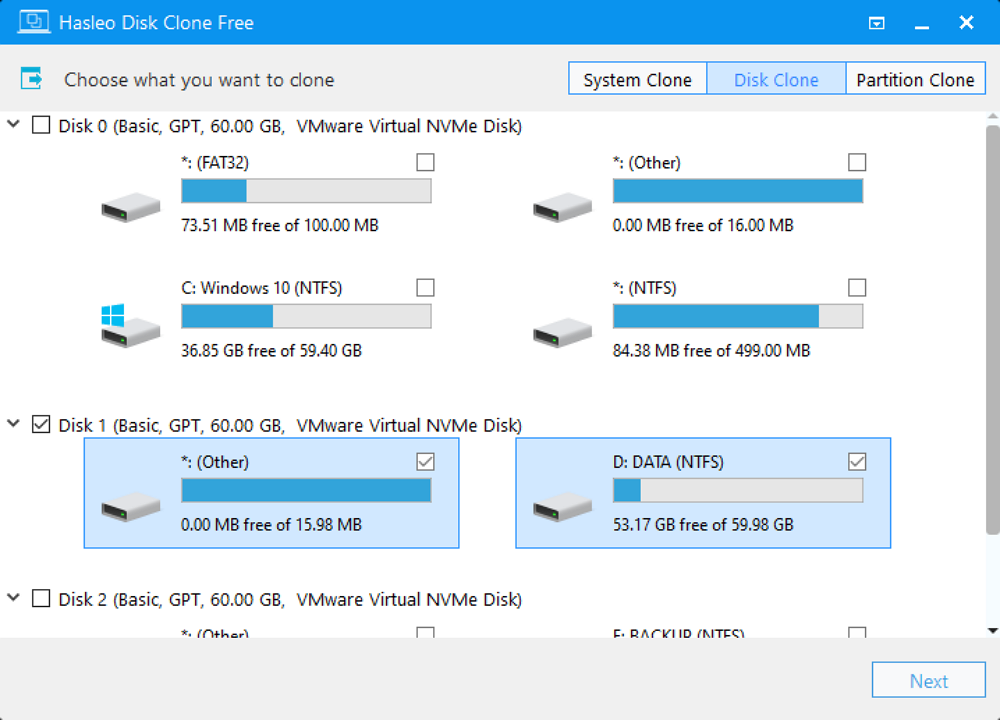
Hasleo Disk Clone has become increasingly popular among users who want a lightweight cloning solution. It is a Windows‑centric cloning tool focused purely on disk and partition cloning, without backup-suite extras.
Best For
- Simple OS migration
- Home users
- Fast SSD upgrades
Key Features
- System clone
- Disk clone
- Partition clone
- Windows migration
| Pros | Cons |
| Clean interface Easy to use Lightweight installation | Limited cloning options in the free version |
➡️Hasleo Disk Clone is a good choice for Windows home users, junior technicians, and technicians who like fast SSD migration.
⚠️The free version does not support cloning the Windows system to a USB removable drive. When I tried to clone a disk to an external one, I failed, and got the info “The free/trial version does not support cloning Windows to a USB drive. (0x0180110000000E9).”
6. Acronis True Image: Best Premium Backup + Clone Solution
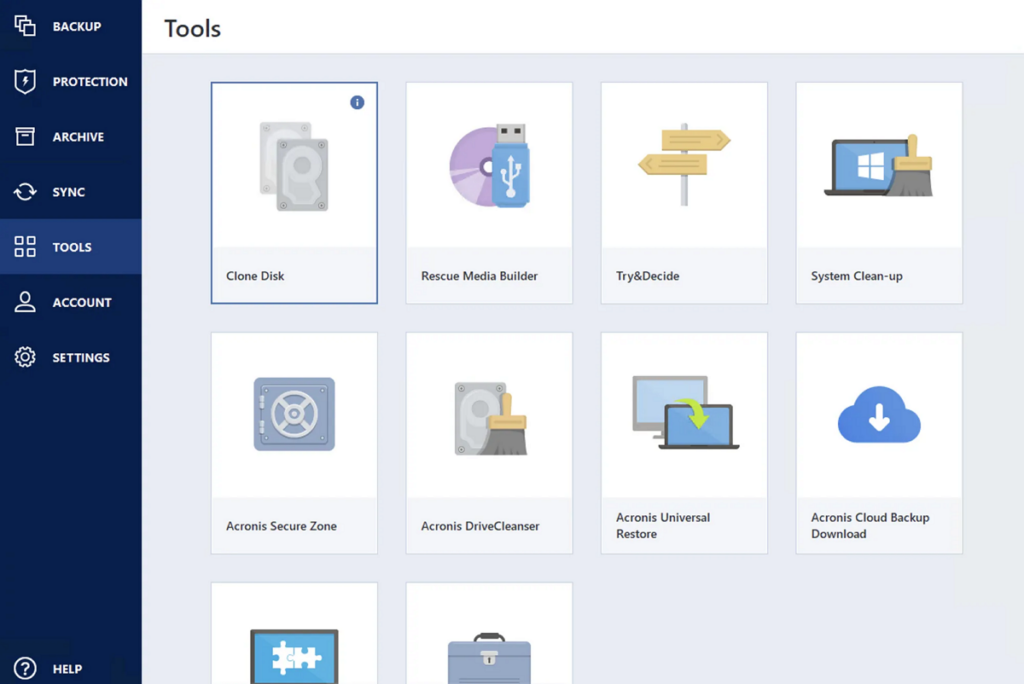
Acronis True Image is the premium option in this category. While best known for its backup capabilities, it also offers robust, professional-grade cloning features. Acronis includes Active Cloning technology that works without rebooting, making it one of the most convenient options for system migration.
Best For
- Full system protection
- Backup-heavy workflows
- Beanded SSD cloning
Key Features
- Active disk cloning
- Cloud backup
- Ransomware protection
- Full disk imaging
| Pros | Cons |
| Enterprise-grade reliability Rich backup ecosystem Active cloning works without bootable media Cross-platform (Windows + macOS) | The most expensive option in this comparison Subscription-only pricing model Some users find the interface overly complex |
➡️Users who want a premium, all-in-one solution for both backup and cloning, who don‘t mind paying for the best.
🕹️Acronis True Image has become an SSD cloning solution for some major SSD brands, such as SanDisk, Western Digital, Kingston, etc.
Best Macrium Reflect Alternatives by Use Case
Choosing the right Macrium Reflect alternative often depends on what you actually need to clone. Some tools are better for simple SSD migrations, while others are designed for enterprise imaging, system deployment, or advanced partition management.
Below, we’ve broken down the best alternatives by specific use cases so you can quickly find the most suitable disk cloning software for upgrading drives, migrating Windows installations, or creating reliable full-disk copies.
Best Macrium Reflect Alternative for SSD Upgrade
If you’re upgrading from a traditional HDD to a faster SSD, the ideal cloning software should support:
- Bootable SSD cloning
- SSD alignment optimization
- Cloning without reinstalling Windows
- Cloning to smaller SSDs
For most users, EaseUS Disk Copy is one of the best options because it simplifies the entire SSD migration process with a beginner-friendly interface and reliable tech support. Hasleo Disk Clone is also a strong, lightweight alternative for users who want a fast and simple migration workflow. For advanced users who prefer open-source tools, Clonezilla remains a powerful free option.
Best Alternative for Cloning Windows to NVMe SSD
Migrating Windows to an NVMe SSD can sometimes cause boot issues if the cloning software does not properly handle EFI partitions and GPT layouts. The best Macrium Reflect alternatives for NVMe migration are:
- EaseUS Disk Copy
- AOMEI Cloner
- Acronis True Image
These tools support:
- GPT disk cloning
- UEFI boot migration
- SSD optimization
- Intelligent sector-by-sector cloning
They are especially useful when upgrading laptops or gaming PCs to modern NVMe SSDs.
Best Free Macrium Reflect Alternative
Users searching for a free Macrium Reflect alternative are usually looking for reliable disk cloning without subscription costs. The best free options include:
- Clonezilla-best for advanced users who want maximum control and powerful cloning capabilities.
- Rescuezilla-a more beginner-friendly alternative with a graphical interface.
Both tools support:
- full disk clone
- bootable disk migration
- SSD upgrades
However, beginners may find GUI-based cloning software easier to use during Windows migration.
Best Macrium Reflect Alternative for Beginners
Many users searching for a Macrium Reflect replacement simply want an easier way to clone a hard drive or migrate Windows to an SSD. The most beginner-friendly options are:
- EaseUS Disk Copy
- AOMEI Cloner
- Hasleo Disk Clone
These tools focus heavily on:
- Simple cloning workflows
- Automatic SSD alignment
- Minimal technical setup
Compared to more advanced imaging software, they are easier for first-time users upgrading storage drives.
Final Verdict
If you’re searching for the best Macrium Reflect alternative for disk cloning, the right choice depends on your experience level and migration needs.
For most users upgrading to an SSD or replacing a system drive, EaseUS Disk Copy provides the best balance of:
- ease of use
- reliable bootable cloning
- Windows OS migration
- beginner-friendly workflow
- sector-by-sector cloning
- resize partition when cloning
- hot clone without booting
Meanwhile, advanced users may prefer Clonezilla for its flexibility and open-source ecosystem. No matter which tool you choose, modern cloning software makes it possible to migrate Windows, replace failing drives, and upgrade SSDs without reinstalling your operating system from scratch.
Frequently Asked Questions
1. What is the best free Macrium Reflect alternative?
Clonezilla is widely considered one of the best free alternatives for advanced users, while Rescuezilla offers a more beginner-friendly experience.
2. Which cloning software is easiest for beginners?
EaseUS Disk Copy is one of the easiest tools for beginners because it focuses on simple SSD migration and disk-cloning workflows.
3. Can I clone Windows to a smaller SSD?
Yes, you can clone Windows to a smaller SSD as long as the used space is smaller than the target disk. Most disk cloning software lets you resize partitions when cloning a disk, and you can also shrink the source disk before cloning to a smaller drive.
4. Will cloning a drive make the SSD bootable?
Yes, if the cloning process correctly migrates the system partitions and boot records, the new SSD should boot normally after replacement.
5. Can I use these tools to clone a system with UEFI and GPT?
Yes. Clonezilla, Rescuezilla, Hasleo, AOMEI, EaseUS, and Acronis all fully support UEFI and GPT systems. Older tools from other vendors may fail on modern Dell, HP, and Lenovo systems.