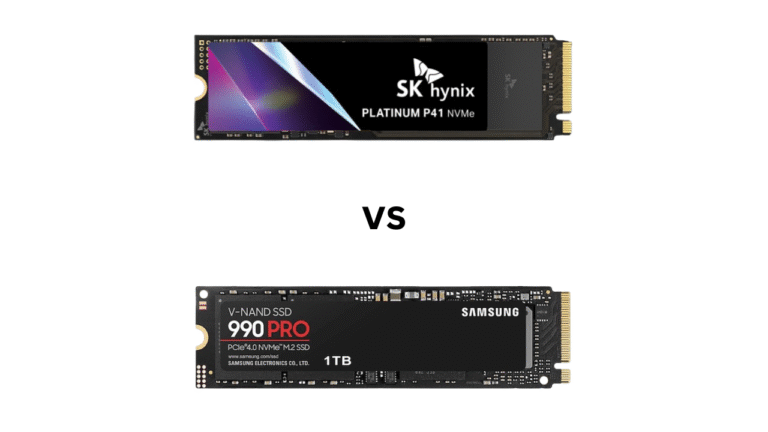
Samsung 9100 Pro vs Crucial P510 is one of the most searched PCIe 5.0 SSD comparisons among gamers, PC builders, and content creators looking for the best next-generation storage upgrade. As PCIe Gen5 SSDs become more affordable and widely available, both drives offer dramatically faster performance than PCIe 4.0 alternatives, but they are designed for different types of users.
The Samsung 9100 Pro vs Crucial P510 debate largely comes down to performance versus value. Samsung positions the 9100 Pro as a flagship SSD built for maximum speed and premium features, while the Crucial P510 focuses on delivering strong PCIe 5.0 performance at a more competitive price.
If you’re upgrading a gaming PC, building a high-end workstation, or simply searching for the fastest SSD for your budget, this detailed comparison will examine specifications, real-world performance, gaming benchmarks, thermal efficiency, power consumption, endurance, pricing, and overall value to help you choose the right drive.
Samsung 9100 Pro vs Crucial P510: Quick Verdict
Before diving into the details, here’s the short answer:
| Category | Winner |
|---|---|
| Overall Performance | Samsung 9100 Pro |
| Gaming | Samsung 9100 Pro |
| Content Creation | Samsung 9100 Pro |
| Value for Money | Crucial P510 |
| Thermal Efficiency | Crucial P510 |
| Budget PCIe 5.0 Upgrade | Crucial P510 |
| Best Overall SSD | Samsung 9100 Pro |
Buy Samsung 9100 Pro if:
- You want the fastest PCIe 5.0 SSD available.
- You regularly work with large files.
- You edit 4K or 8K videos.
- You need top-tier workstation performance.
- Budget is not your primary concern.
Buy Crucial P510 if:
- You want PCIe 5.0 speeds without paying flagship prices.
- Your primary use is gaming.
- You are upgrading from PCIe 3.0 or PCIe 4.0 storage.
- You prioritize value over benchmark records.
Specifications
Before looking at real-world performance, let’s compare the core specifications.
| Feature | Samsung 9100 Pro | Crucial P510 |
| Interface | PCIe 5.0 x4 | PCIe 5.0 x4 |
| Protocol | NVMe 2.0 | NVMe 2.0 |
| NAND Flash | Samsung V-NAND | Micron NAND |
| DRAM Cache | Yes | Varies by capacity |
| Max Sequential Read | Up to 14,800 MB/s | Up to 11,000 MB/s |
| Max Sequential Write | Up to 13,400 MB/s | Up to 9,500 MB/s |
| Available Capacities | 1TB, 2TB, 4TB, 8TB | 1TB, 2TB |
| Warranty | 5 Years | 5 Years |
| Heatsink Option | Yes | Limited availability |
| Target Market | Enthusiasts & Professionals | Mainstream Gen5 Users |
Looking at the specifications alone, Samsung clearly positions the 9100 Pro as a premium flagship SSD. It delivers significantly higher sequential performance and offers larger capacity options, including an 8TB model for professional users.
The Crucial P510, meanwhile, focuses on providing Gen5 performance at a lower price point.
If you want the absolute fastest PCIe 5.0 SSD and frequently work with large files, the Samsung 9100 Pro is the stronger option. If you’re primarily gaming or upgrading your system while keeping costs under control, the Crucial P510 delivers outstanding value.
Performance
Performance is the main reason most buyers consider upgrading to PCIe 5.0 storage.
Sequential Read and Write Speeds
Sequential performance matters when:
- Transferring large files
- Editing video projects
- Moving game libraries
- Working with RAW media files
- Running virtual machines
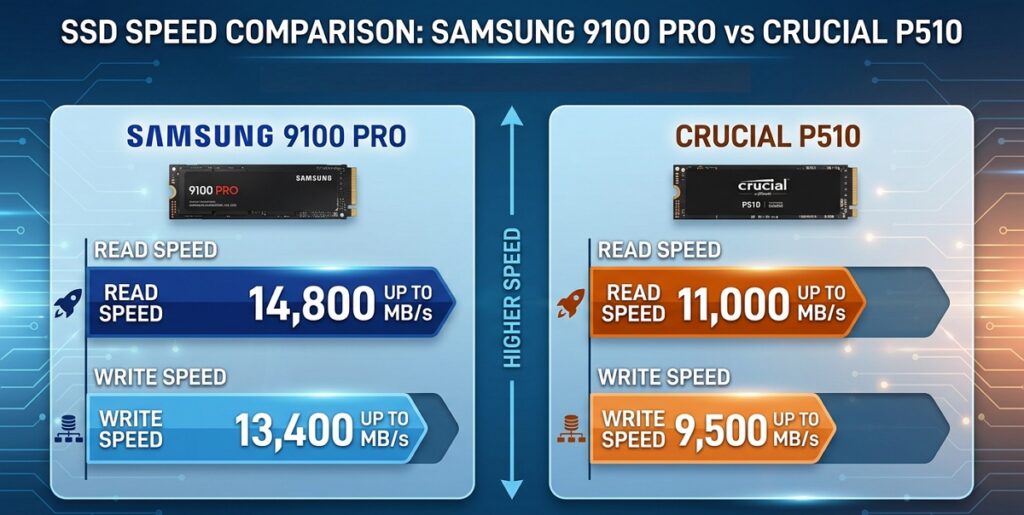
On paper, Samsung leads by a considerable margin. In large file transfers, users moving hundreds of gigabytes at a time may notice meaningful time savings with the Samsung drive.
However, average gamers may not feel a dramatic difference during daily use.
Random Read and Write Performance
Random performance affects:
- Operating system responsiveness
- Application launching
- Game loading
- Multitasking
Samsung’s flagship controller and premium NAND allow the 9100 Pro to achieve excellent random I/O performance, making it especially attractive for workstation users and professionals handling intensive workloads.
The Crucial P510 remains fast enough for most consumers, but it does not quite reach Samsung’s flagship-level responsiveness under sustained heavy workloads.
Gaming Performance Comparison
One of the biggest questions buyers ask is: Does a faster PCIe 5.0 SSD improve gaming performance?
The answer is both yes and no.
Game Loading Times
Famous games can load slightly faster on ultra-fast SSDs. For example:
- Cyberpunk 2077
- Starfield
- Call of Duty
- Black Myth: Wukong
| Game | Samsung 9100 Pro | Crucial P510 |
| Cyberpunk 2077 | Nearly Instant | Nearly Instant |
| Starfield | Extremely Fast | Extremely Fast |
| Call of Duty | Very Fast | Very Fast |
| Black Myth: Wukong | Excellent | Excellent |
However, the difference between the Samsung 9100 Pro and Crucial P510 is often measured in fractions of a second. For example:
- A game loading in 6.2 seconds on one SSD may load in 5.8 seconds on the other.
This difference is difficult to notice during actual gameplay.
FPS Performance
Storage speed has little effect on frame rates. Your CPU and GPU remain the primary performance factors. Whether you install a game on the Samsung 9100 Pro or the Crucial P510, FPS results will be virtually identical.
DirectStorage Support
Both SSDs are well-positioned for future DirectStorage-enabled games. Since both exceed Microsoft’s recommended storage requirements by a significant margin, they are ready for next-generation gaming workloads.
Samsung 9100 Pro wins on pure performance, but Crucial P510 provides better value for most gamers.
Thermal Performance and Cooling
One challenge facing PCIe 5.0 SSDs is heat. Higher performance usually means higher temperatures.
Samsung 9100 Pro Thermals
Samsung has improved efficiency compared to previous generations and offers versions equipped with integrated heatsinks.
Under heavy workloads:
- Temperatures remain manageable
- Thermal throttling is minimized
- Sustained performance remains strong
However, motherboard SSD cooling is still recommended.
Crucial P510 Thermals
Crucial designed the P510 to balance performance and efficiency. Because it targets a lower performance tier, it generally runs cooler than flagship Gen5 drives. This makes it attractive for:
- Compact PCs
- Mini-ITX systems
- Gaming builds with limited airflow
So:
- For maximum performance: Samsung 9100 Pro
- For cooler operation: Crucial P510
Power Efficiency
Power consumption matters more than many users realize. Lower power consumption means:
- Less heat
- Longer laptop battery life
- Reduced cooling requirements
The Crucial P510 generally delivers better performance-per-watt because it does not push the PCIe 5.0 interface as aggressively as Samsung’s flagship model. If efficiency is a priority, Crucial holds an advantage.
Price Comparison
This is where the comparison becomes particularly interesting.
Samsung 9100 Pro Pricing
Samsung products often command a premium price due to:
- Brand recognition
- Industry-leading performance
- Mature software ecosystem
- Strong reliability reputation
➡️Check the pricing at the official Samsung website.
Crucial P510 Pricing
The Crucial P510 generally enters the market at a lower price point. For many buyers, it delivers approximately 80–90% of the real-world experience while costing noticeably less.
➡️Check the pricing at the official Crucial website.
When comparing cost per gigabyte, Crucial often provides substantially better value. For many users, paying significantly more for benchmark-leading speeds simply isn’t necessary.
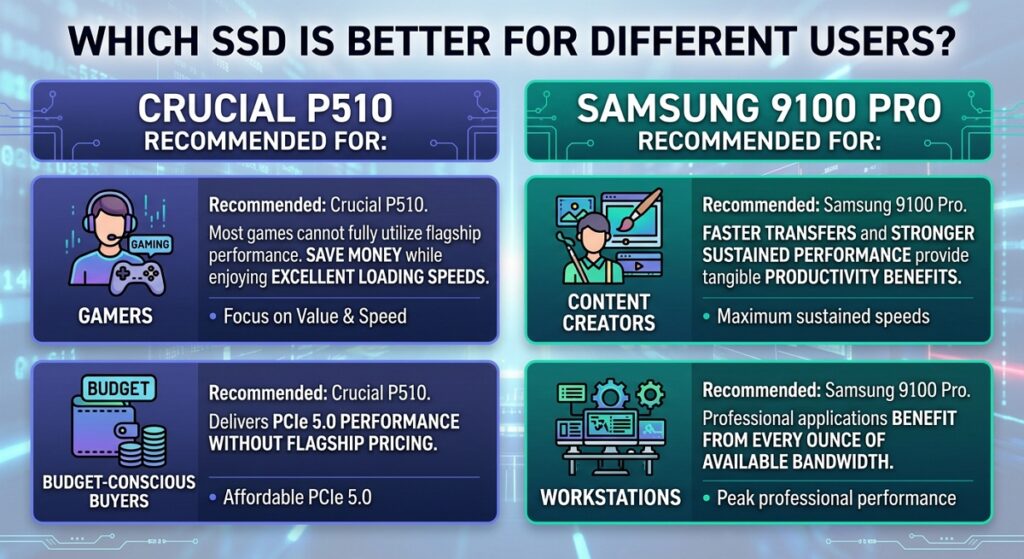
Which SSD Is Better for Different Users?
Final Verdict
When comparing Samsung 9100 Pro vs Crucial P510, there is no universal winner because they target different audiences.
The Samsung 9100 Pro is the SSD to buy if you want absolute top-tier PCIe 5.0 performance. It excels in professional workloads, content creation, AI applications, and heavy multitasking.
The Crucial P510, however, may be the smarter purchase for most users. It delivers excellent Gen5 performance, runs cooler, costs less, and offers outstanding value for gaming PCs and everyday computing.
Overall:
Choose the Samsung 9100 Pro If:
- You want the fastest PCIe 5.0 SSD available
- You edit 4K or 8K video regularly
- You work with massive datasets
- You prioritize premium performance over price
- You want Samsung’s software ecosystem
Choose the Crucial P510 If:
- You want the best price-to-performance ratio
- You mainly use your PC for gaming
- You want excellent PCIe 5.0 performance without overspending
- You prioritize efficiency and cooler operation
- You are building a value-oriented high-performance PC
Hope this article helps!