As AI tools move from the cloud to local machines, storage has quietly become one of the most important parts of the system. Most people focus on GPU or RAM, but once you start running local AI models, it becomes obvious that the SSD is what keeps everything usable in practice.
It affects how fast AI models load, how many you can store at once, and how smooth your workflow feels when you switch between different tools. So, how to choose the right SSD for your AI needs? This isn’t really about chasing the fastest hardware on paper. It’s about matching storage to the way you actually use AI.
Start with your AI workflow, not SSD specs
A common mistake is starting from specs like PCIe 5.0 vs PCIe 4.0 or “7000 MB/s speeds”. In real usage, those numbers don’t tell you much until you understand your workload.
Storage needs depend almost entirely on what kind of AI work you’re doing.
If you mostly use cloud tools like ChatGPT or Copilot, SSD performance barely matters. But once you start running local AI models—LLMs in tools like Ollama or LM Studio, image generation with Stable Diffusion or Flux, or even experimenting with video generation workflows—the situation changes quickly.
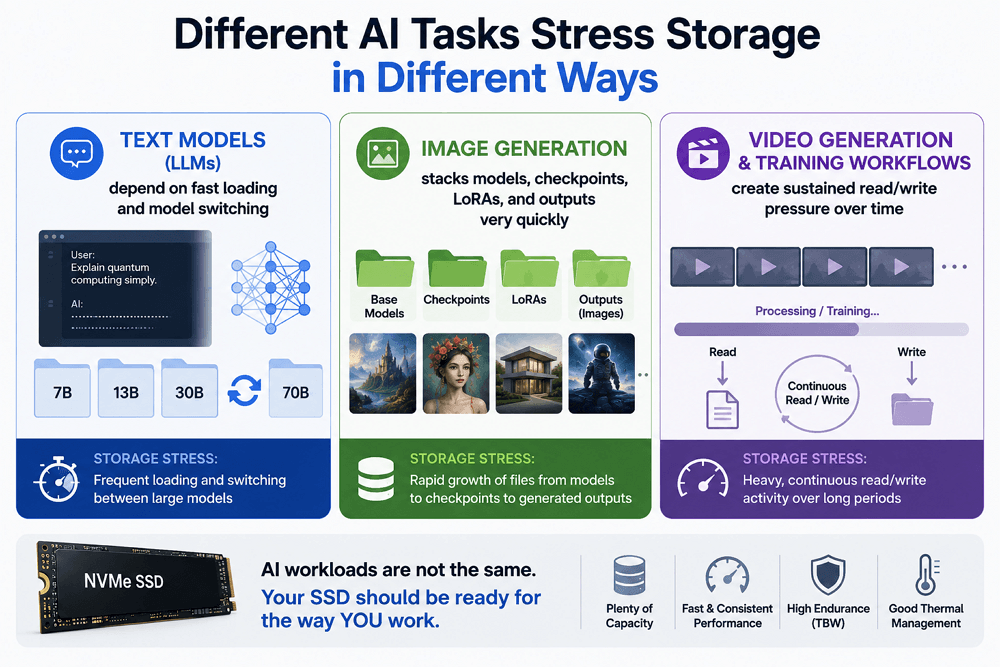
Different AI tasks stress storage in different ways:
- Text models (LLMs) depend on fast loading and model switching
- Image generation stacks models, checkpoints, LoRAs, and outputs very quickly
- Video generation and training workflows create sustained read/write pressure over time
That’s why there isn’t really a “best SSD for AI”. There are only SSDs that fit different levels of usage.
Capacity is usually the real constraint, not speed
Most people underestimate how fast AI workloads grow in storage size. Even a relatively small 7B model can take several gigabytes, and larger models can easily reach tens or even hundreds of gigabytes once you include different versions, quantizations, and supporting files.
Once you start working across multiple AI tools—text generation, image generation, model testing, or video workflows—storage fills up faster than expected.
A more practical way to think about it is:
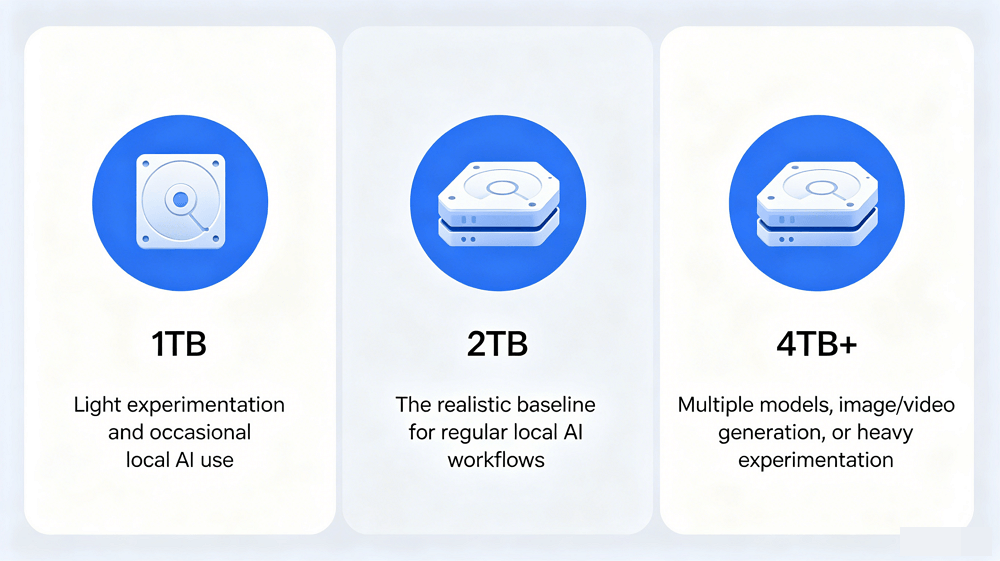
- 1TB → light experimentation and occasional local AI use
- 2TB → the realistic baseline for regular local AI workflows
- 4TB+ → multiple models, image/video generation, or heavy experimentation
What usually surprises people isn’t the size of a single model, but how quickly the entire AI workspace expands once you start trying different things.
This is also where AI workloads differ from gaming or general productivity. You’re not just installing applications—you’re constantly downloading, duplicating, and storing large model files and generated outputs.
Speed matters, but only up to a point
It’s easy to assume that a faster SSD will significantly improve AI performance, but in most real-world cases, that’s not what happens.
Modern NVMe SSDs, even PCIe 4.0 drives, are already fast enough to load most AI models without noticeable delay. Upgrading to PCIe 5.0 can reduce load times, but the improvement is usually incremental rather than transformative.
In actual AI workflows, the real bottlenecks are usually:
- GPU compute power
- VRAM bandwidth
- Model architecture and size
Storage is rarely the limiting factor once you’re on a decent NVMe drive.
Where SSD speed does matter is in more specific situations:
- Switching frequently between large AI models
- Working with large datasets in image or video pipelines
- Running workflows that constantly read and write intermediate files
Outside of these cases, performance gains tend to level off quickly.
Endurance and reliability matter more than most people expect
AI workloads don’t just read data—they generate a lot of writes over time. Models are frequently downloaded, updated, swapped, and tested. Image generation tools produce large batches of outputs. Video generation and training workflows can continuously write temporary files and checkpoints.
This is where endurance ratings like TBW (Terabytes Written) start to matter in real use.
A higher TBW rating simply means the SSD is designed to handle more long-term write activity without degrading performance.
The type of NAND also matters:
- TLC SSDs → better balance of speed, cost, and durability
- QLC SSDs → higher capacity at lower cost, but weaker under sustained heavy workloads
For casual users, this difference may not be noticeable. But once AI becomes part of your daily workflow, especially with local models and frequent generation tasks, it becomes more relevant over time.
What actually matters when choosing an SSD for AI
If you simplify everything down, SSD selection for AI comes down to a few practical decisions rather than technical details.
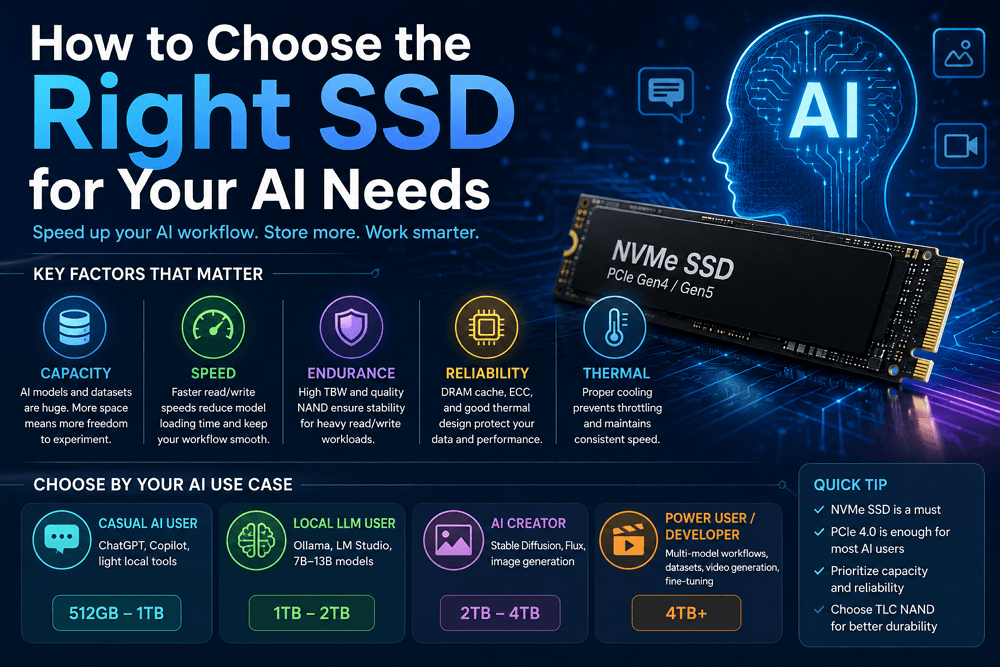
Capacity is the first and most important factor. If you run out of storage, nothing else matters. A reasonably fast NVMe SSD is usually enough for performance, and PCIe 4.0 already handles most AI workloads comfortably. PCIe 5.0 is useful in high-end scenarios, especially for heavy video generation or training workflows, but it is not necessary for most users.
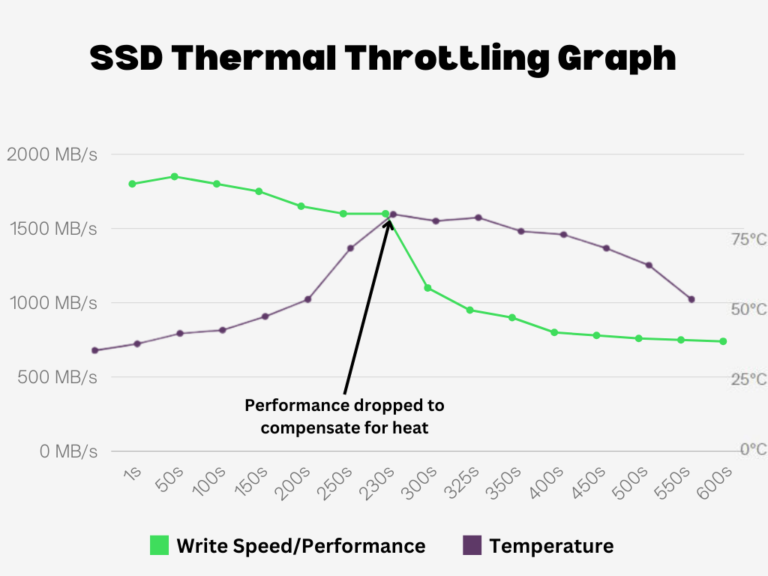
Endurance and overall build quality matter more than people expect, especially if you are frequently working with multiple models or large files. Features like DRAM cache and proper thermal design help maintain consistent performance under load, but they are refinements rather than deciding factors.
A simple way to think about SSDs for AI is this: they are not meant to maximize performance benchmarks, but to remove storage as a constraint so your AI workflows can run without interruption.
AI SSD Quick Decision Table
If you want a faster way to translate all of this into a decision, this table summarizes what actually makes sense for different types of users:
| User Type | AI Usage Pattern | Recommended Capacity | SSD Type | What to Look For |
| Casual AI User | ChatGPT, Copilot, light local testing | 512GB – 1TB | NVMe Gen4 | Any reliable TLC SSD |
| Local LLM User | Ollama, LM Studio, 7B–13B models | 1TB – 2TB | NVMe Gen4 preferred | Stable performance, decent speed |
| AI Creator | Stable Diffusion, Flux, ComfyUI, image workflows | 2TB – 4TB | Gen4 or Gen5 optional | Good capacity + consistent write performance |
| Power User / Developer | Multi-model workflows, datasets, video generation, fine-tuning | 4TB+ | High-end NVMe | Strong endurance + thermal control |
This isn’t about picking the fastest drive. It’s about choosing a setup that matches how much AI work you actually do.
Final thought: how to choose the right SSD for your AI needs
The right SSD for AI isn’t the fastest or the most expensive one. It’s the one that fits seamlessly into your workflow, without forcing you to think about storage every time you load a model or start a new project.
For most people, that means prioritizing capacity first, choosing a reliable NVMe drive second, and treating top-end speed as something optional rather than necessary.