PCIe Gen 4 vs Gen 5: which one should you actually choose in 2026? On paper, PCIe Gen 5 looks like a massive upgrade. It offers double the bandwidth, significantly higher peak speeds, and is often marketed as the “next-gen” standard for SSDs. But here’s the reality: most users won’t notice much of a difference.
In this guide, we break down PCIe Gen 4 vs Gen 5 in terms of real-world performance, gaming impact, pricing, and upgrade value — so you can decide whether Gen 5 is actually worth it, or if Gen 4 is still the smarter choice.
Quick Answer: What’s the Difference Between PCIe Gen 4 vs Gen 5?
If you just want the short version:
- PCIe Gen 5 is faster – about 2X the bandwidth of Gen 4
- Most users won’t notice the difference
- PCIe Gen 4 still offers the best value
- PCIe Gen 5 is mainly for high-end and future-proof builds
In real-world usage, the performance gap is much smaller than the specs suggest. For gaming, everyday tasks, and even most creative workloads, PCIe Gen 4 SSDs are already enough.
So, based on your needs, ,choose Gen 4 for the best price-to-performance, and use Gen 5 only if you need cutting-edge speed or long-term future-proofing.
PCIe Gen 4 vs Gen 5: Theoretical Specifications Comparison
| PCIe 4.0 | PCIe 5.0 | |
| Bandwidth | Doubles the bandwidth of PCIe 3.0 | Doubles the bandwidth of PCIe 4.0 |
| Transfer Rate | 16GT/s | 32GT/s |
| Bandwidth(Per Lane) | 4 GB/S | 2 GB/S |
| Total Bandwidth | 64 GB/s in x16 configuration | 128 GB/s in x16 configuration |
| Applications | Suitable for high-end gaming | Ideal for content creators, demanding workloads, and high-performance computing |
| Adoption | Standard for new devices | Still not widely adopted |
| Compatibility | Backward compatible with previous versions | Backward compatible but optimized performance with newer hardware |
| Typical SSD Speed | 5,000–7,500 MB/s | 10,000–14,000 MB/s |
PCIe Gen 5 doubles the transfer rate from 16 GT/s to 32 GT/s per lane, effectively doubling total bandwidth. That sounds like a huge upgrade – and technically, it is. But raw bandwidth doesn’t always translate into real-world performance gains.
Real-World Performance: Does It Matter?
The biggest misconception about PCIe Gen 5 is that “2X faster specs = 2X faster experience.” That’s not how it works. Let’s take a deeper exploration.
- Gaming Performance
For gaming, the difference between Gen 4 and Gen 5 SSDs is almost negligible. The game load times are nearly identical. For FPS impact, Gen 4 is typically less than 5%. As for asset streaming, Gen 4 speeds is already optimized. Modern games simply don’t saturate Gen 4 bandwidth yet.
- Everyday Usage
For typical tasks like booting Windows, launching apps, and web browsing, there is no noticeable difference. Both Gen 4 and Gen 5 SSDs are already so fast that other system components (CPU, RAM, OS optimization) become the bottleneck.
- Content Creation
For moderate workloads like photo editing,standard video editing (1080p–4K), you may see small improvements in file transfers, but not enough to justify the higher cost of Gen 5.
- Heavy Workloads (Gen 5 Wins)
PCIe Gen 5 starts to make sense when dealing with 4K/8K RAW video editing, large-scale data processing, local AI models and datasets, or high-speed scratch disks; these workloads can actually benefit from sustained high throughput.
In a word, while PCIe Gen 5 doubles theoretical bandwidth, real-world gains are often minimal for gaming and everyday workloads – but meaningful for data-intensive tasks.
PCIe Gen 4 vs Gen 5 SSD: Should You Upgrade?
For most users, this is the only question that matters. Refer to the information below before deciding.
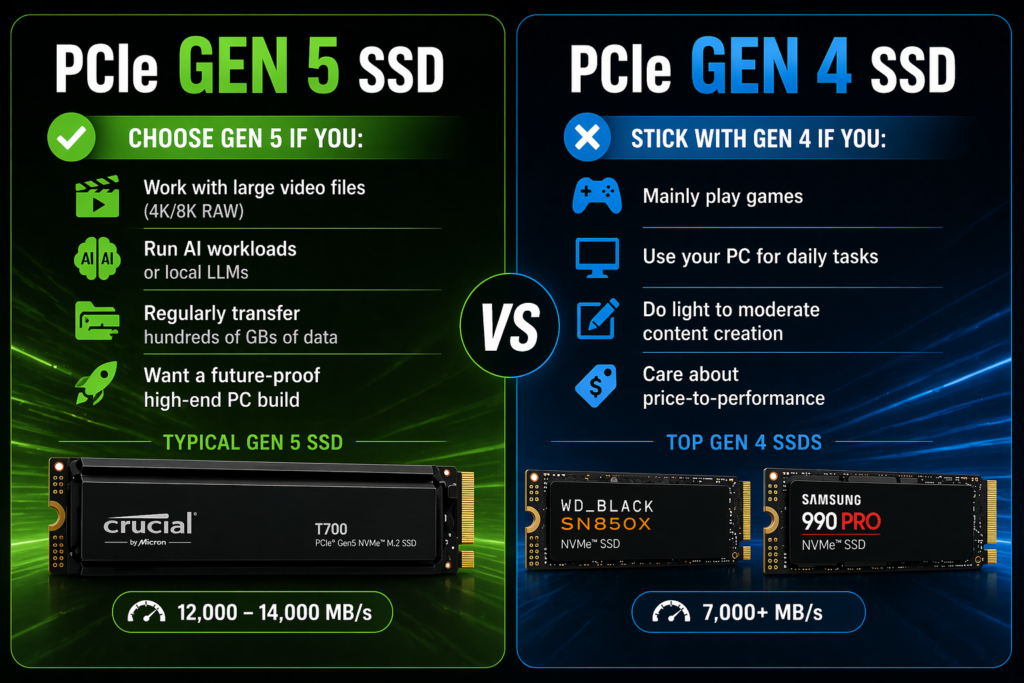
Choose PCIe Gen 5 if you:
- Work with large video files (4K/8K RAW)
- Run AI workloads or local LLMs
- Regularly transfer hundreds of GBs of data
- Want a future-proof high-end PC build
Typical Gen 5 SSDs include Crucial T700 (one of the fastest Gen 5 drives), New flagship SSDs pushing 12,000–14,000 MB/s
Stick with PCIe Gen 4 if you:
- Mainly play games
- Use your PC for daily tasks
- Do light to moderate content creation
- Care about price-to-performance
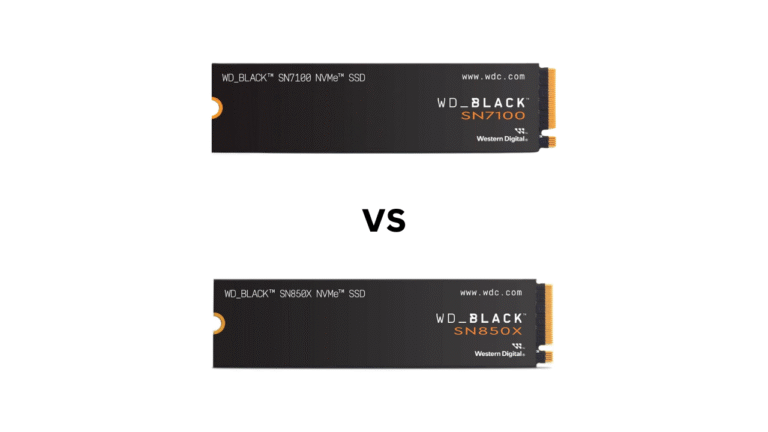
Top Gen 4 SSDs still deliver excellent performance, such as WD Black SN850X and Samsung 990 Pro. These drives already reach 7,000+ MB/s, which is more than enough for nearly all consumer workloads.
To sum up, if you are already using Gen 4, there is no need to upgrade. If you are building a new high-end PC, consider Gen 5 for better performance.
The Hidden Downsides of PCIe Gen 5
PCIe Gen 5 isn’t just about speed; it comes with trade-offs that many buyers overlook.
Gen 5 SSDs run significantly hotter than Gen 4. Many require large heatsinks, and some even need active cooling (fans). Without proper cooling, performance can throttle quickly.
What’s more, you’re often paying 30–80% more for performance you may not fully use.
To use PCIe Gen 5, you need a compatible CPU (e.g., newer Intel/AMD platforms), a Gen 5-enabled motherboard, and proper lane allocation.
You’re buying into potential, not immediate benefits.
PCIe Gen 6: Should You Wait Instead?
PCIe Gen 6 is no longer just a future concept – it’s already here. The first PCIe Gen 6 SSD, the Micron 9650 NVMe SSD, has officially entered mass production, marking a major milestone in storage technology. On paper, it’s another massive leap:
- Up to 28 GB/s sequential read speeds
- Around 14 GB/s write speeds
- Up to 5.5 million IOPS for random reads
- Roughly 2X the performance of PCIe Gen 5 SSDs
In simple terms, PCIe Gen 6 doubles bandwidth again, just like Gen 5 did over Gen 4. So should you wait for PCIe Gen 6? For almost all users, the answer is still NO. Here’s why.
1. The Micron 9650 isn’t designed for desktops or laptops.It’s built specifically for, AI training and inference, hyperscale data centers, and high-performance computing environments
2. The ecosystem isn’t ready yet. Even though the SSD exists, the rest of the ecosystem is still catching up; no mainstream consumer CPUs support PCIe Gen 6, no desktop motherboards with Gen 6 slots, and no consumer SSD controllers are available.
3. The performance is real, but overkill. PCIe Gen 6 delivers extreme performance, but for typical users, games don’t need it, and apps don’t benefit from it; even Gen 5 is rarely fully utilized.
4. Even PCIe Gen 5 Isn’t Fully Utilized Yet
PCIe Gen 4 vs Gen 5 vs Gen 6: Full Comparison
To better understand how fast PCIe is evolving, here’s a side-by-side comparison of the last three generations:
| Feature | PCIe Gen 4 | PCIe Gen 5 | PCIe Gen 6 |
| Release Timeline | ~2019 | ~2022 | ~2025 (enterprise) |
| Transfer Rate | 16 GT/s | 32 GT/s | 64 GT/s |
| Bandwidth (x4 SSD) | ~8 GB/s | ~16 GB/s | ~28–32 GB/s |
| Typical SSD Speed | 5,000–7,500 MB/s | 10,000–14,000 MB/s | ~20,000–28,000 MB/s |
| Signal Encoding | NRZ | NRZ | PAM4 |
| Target Users | Consumers | High-end consumers | AI / Data centers |
| Cooling Needs | Low | Medium–High | Very High |
| Market Availability | Mature | Growing | Limited (enterprise only) |
Final Verdict: Which One Should You Choose?
Let’s simplify everything:
- Best value: PCIe Gen 4
- Best performance: PCIe Gen 5
- Future tech: PCIe Gen 6 (ignore for now)
If you’re like most users, PCIe Gen 4 already gives you everything you need at a much better price. PCIe Gen 5 is impressive, but it only makes sense if you can actually use its speed.