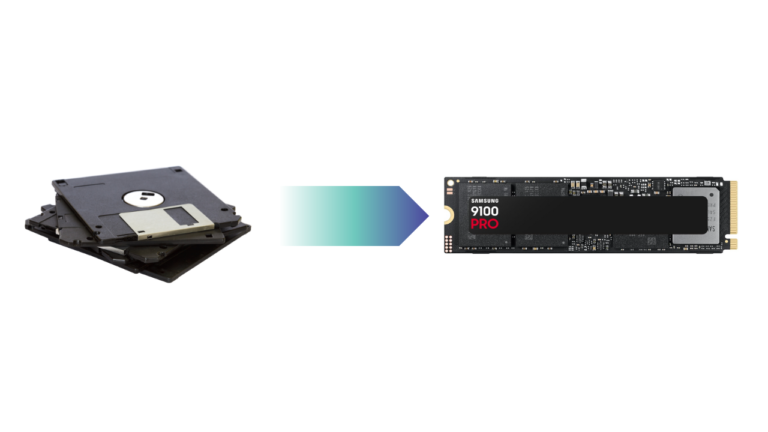
If you’re searching for Carbon Copy Cloner Windows alternative, the short answer is: there isn’t one. Carbon Copy Cloner (CCC) is a macOS-only backup and cloning tool designed specifically for Apple systems.
But that doesn’t mean Windows users are out of options.
Whether you’re upgrading to a new SSD, migrating Windows to another drive, creating a bootable backup, or looking for a reliable disaster recovery solution, several Windows cloning and backup tools offer functionality similar to CCC – and in some cases, are easier to use for PC users. This guide compares the best Carbon Copy Cloner Windows alternatives based on:
- Disk cloning reliability
- Bootable system migration
- SSD upgrade workflows
- Backup features
- Ease of use
- Advanced recovery options
Why Do So Many Mac Users Love Carbon Copy Cloner?
Before choosing an alternative, it’s important to understand why CCC became so popular among Mac users in the first place. Carbon Copy Cloner is widely known for:
- Creating bootable backups
- Incremental backup support
- Reliable full-disk cloning
- Fast disaster recovery
- Scheduled backup automation
- Simple but professional UI
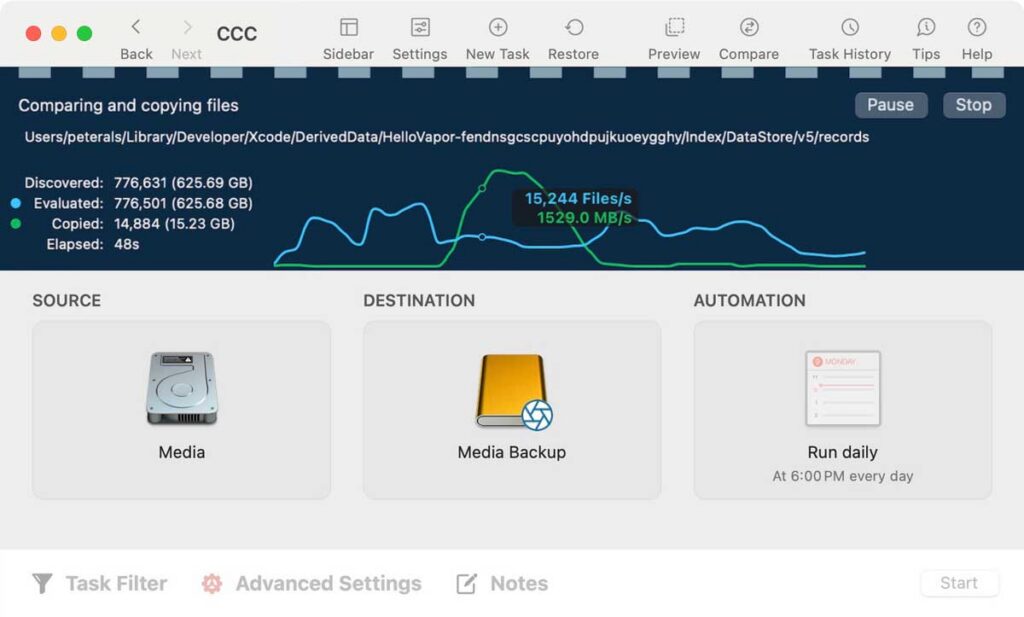
For many Mac users, CCC became the set it and forget it solution for system protection. The challenge is that Windows handles boot partitions, recovery environments, and file systems differently from macOS. So there isn’t a perfect 1:1 replacement. Instead, the best Windows alternatives focus on specific CCC-like strengths:
- Simple SSD migration
- Reliable system cloning
- Advanced backup imaging
- Enterprise-grade recovery
- Bootable disk duplication
Best Carbon Copy Cloner Alternatives for Windows
Some Windows tools focus more on backup imaging and scheduled recovery, while others specialize in cloning for OS migration and drive replacement. To make the comparison easier, we divided the best Carbon Copy Cloner Windows alternatives into two categories:
- Windows Disk Cloning & Backup Tools: Better for scheduled backups, system imaging, and long-term protection
- Windows Bare-metal Clone Tools: Better for exact disk duplication, SSD upgrades, and bootable drive migration
Before diving into the detailed reviews, here’s a side-by-side comparison of the five most relevant alternatives.
| Software | Best for | Ease of Use | Bootable Clone | Disk Clone & OS Migration | Backup & Scheduling | Free Version | Pricing |
| EaseUS Todo Backup | Backup + cloning for regular users | ⭐⭐⭐⭐ | ✅ | ✅ | Excellent | ✅ | Affordable |
| Macrium Reflect | Advanced imaging & recovery | ⭐⭐⭐ | ✅ | ✅ | Excellent | ✅ | Mid-range |
| Acronis True Image | All-in-one backup ecosystem | ⭐⭐⭐ | ✅ | ✅ | Excellent | ❌ | Expensive |
| EaseUS Disk Copy | Disk clone & OS migration | ⭐⭐⭐⭐⭐ | ✅ | ✅ | ❌ | ❌ | Cheap |
| Clonezilla | Technical sector-level cloning | ⭐⭐ | ✅ | ✅ | ❌ | ✅ | Free |
For Windows Disk Cloning & Backup Tools
These tools are better suited for users who want more than just a one-time disk clone. If your goal includes scheduled backups, system image recovery, disaster recovery planning, long-term data protection, and vackup automation, then a backup-oriented cloning solution usually makes more sense than a pure disk copy utility.
This category is the closest to the traditional Carbon Copy Cloner experience on macOS because it combines cloning with backup management.
1. EaseUS Todo Backup
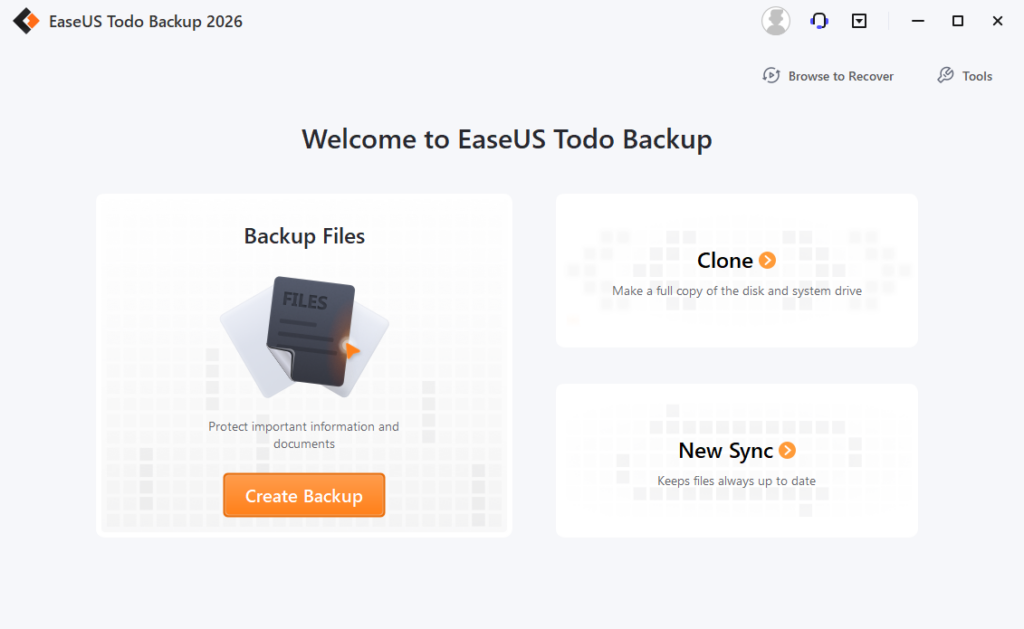
EaseUS Todo Backup is one of the most beginner-friendly Carbon Copy Cloner alternatives for Windows users. Unlike traditional cloning-only tools, it combines system backup, disk imaging, file backup, scheduled backup automation, and disk cloning into one simplified interface.
For users coming from CCC, the biggest advantage is usability. The workflows are clean, modern, and designed for non-technical users.
Best For
- Everyday Windows users
- Scheduled system backups
- Laptop protection
- Simple disaster recovery
Key Features
- Automatic scheduled backups
- System image recovery
- Full disk cloning
- Incremental and differential backup
- Cloud backup support
| Pros | Cons |
| Very easy to use Good balance between backup and cloning Suitable for beginners Supports Windows 11/10/8/7 | Not as advanced as enterprise imaging tools Some advanced features require paid version |
2. Macrium Reflect
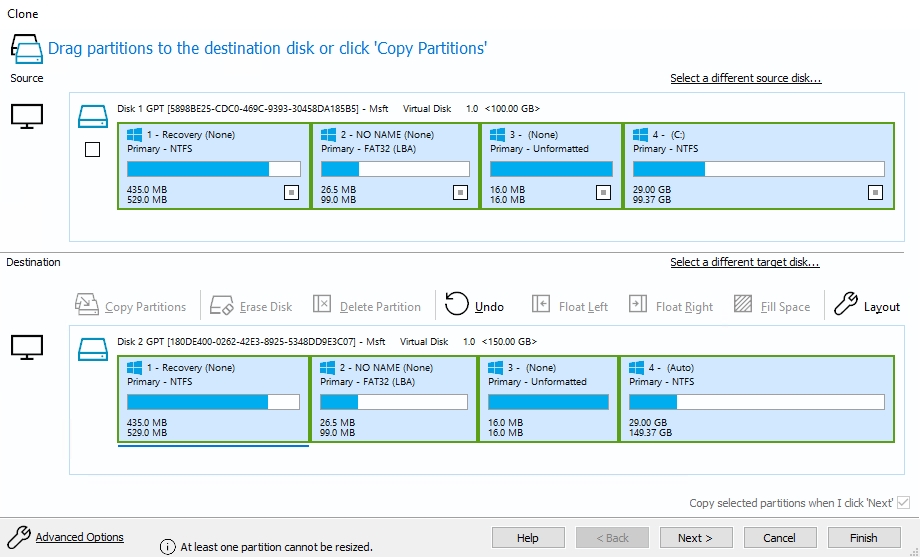
Macrium Reflect is widely considered one of the most reliable backup and imaging tools available on Windows. Among IT professionals and Reddit users, it is often described as the closest professional-grade equivalent to Carbon Copy Cloner.
Its imaging engine is extremely mature and highly trusted for boot recovery ,system restoration, enterprise backup workflows, and advanced cloning. However, the interface is noticeably more technical than EaseUS products.
Best For
- Power users
- IT administrators
- Advanced backup workflows
- Long-term recovery planning
Key Features
- Advanced disk imaging
- Rapid Delta Restore
- Rescue media creation
- Boot repair tools
- Scheduled backup automation
| Pros | Cons |
| Extremely reliable Advanced recovery tools Strong reputation in IT communities Excellent imaging performance | Learning curve for beginners UI feels outdated for some users |
3. Acronis True Image
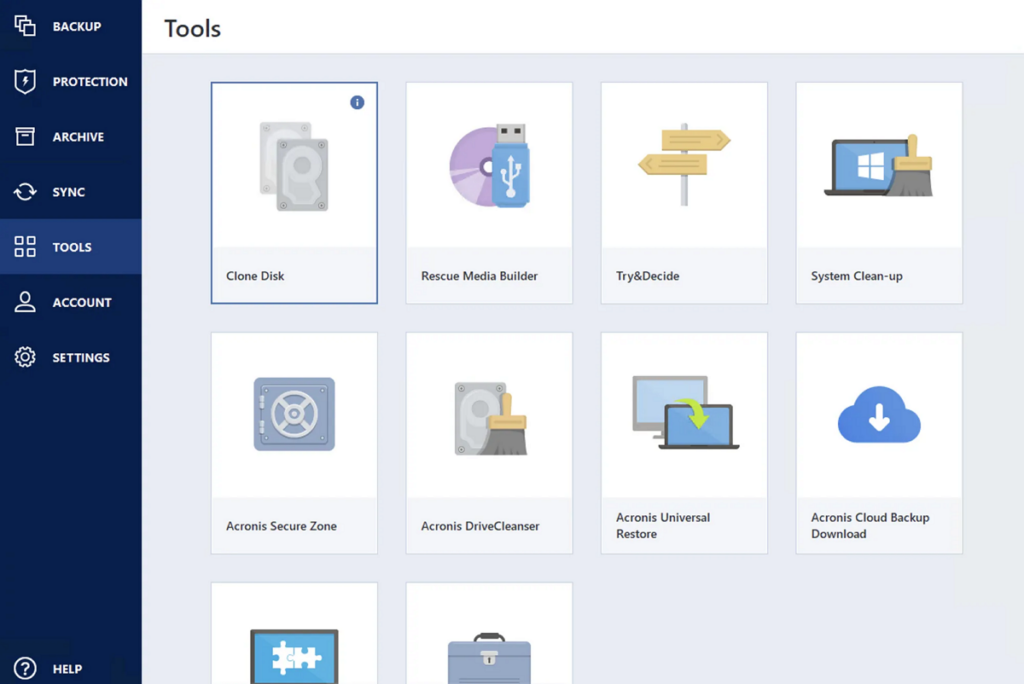
Acronis True Image takes a much broader approach than Carbon Copy Cloner. Instead of focusing only on cloning and backup, Acronis combines full system backup, Cloud storage, anti-ransomware protection, disk cloning, and cybersecurity tools, into a single ecosystem.
For users who want both backup and endpoint protection, it can replace multiple tools at once.
Best For
- Security-focused users
- Cloud backup workflows
- Full backup ecosystems
- Business and professional users
Key Features
- Cloud backup
- Active ransomware protection
- Full system imaging
- Disk cloning
- Remote management features
| Pros | Cons |
| Feature-rich platform Strong security integration Good cloud capabilities Reliable backup engine | Higher subscription cost Heavier system resource usage Can feel overly complex for SSD upgrades |
For Windows Disk Clones
Not every user needs a full backup ecosystem. Sometimes the goal is simply to replace an HDD with an SSD, upgrade to a larger disk, create an exact bootable copy, or migrate the OS without reinstalling. In these situations, only disk cloning software is usually faster, simpler, and more efficient. This category focuses on exact disk duplication rather than backup scheduling.
1. EaseUS Disk Copy
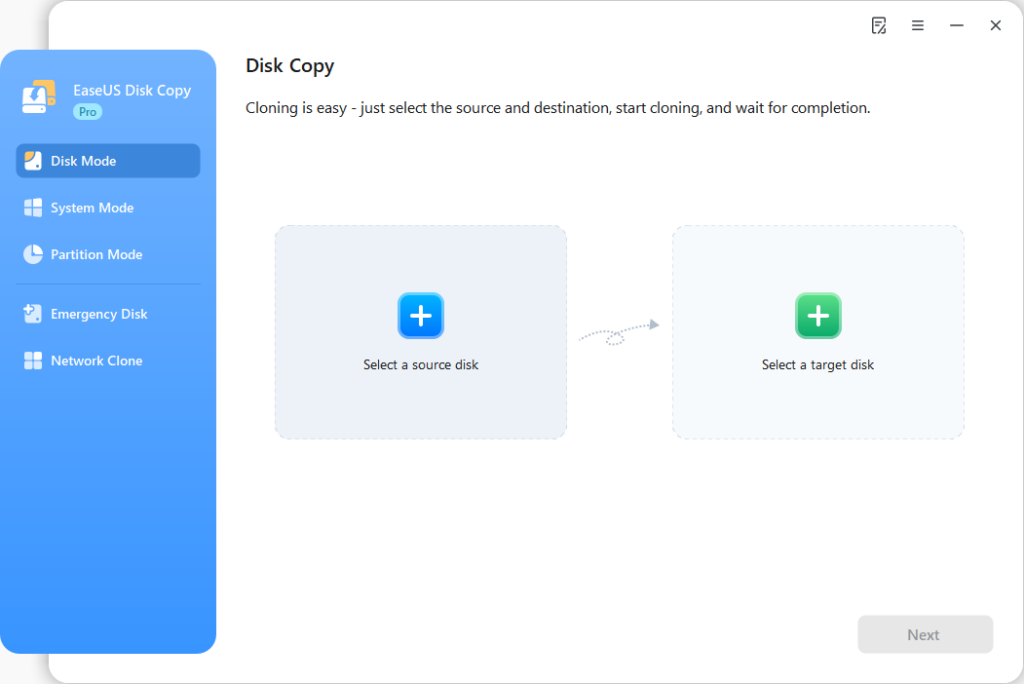
EaseUS Disk Copy is specifically designed for direct disk migration and SSD replacement workflows. ompared to backup-focused software, it emphasizes ect disk cloning, SSDD migration, bootable drive transferintelligent copy, etc.
This makes it one of the closest Windows experiences to the clone-and-go simplicity many Carbon Copy Cloner users expect.
Best For
- SSD upgrades
- Replacing failing HDDs
- Windows migration
- Bootable drive duplication
Key Features
- Sector-by-sector clone
- Disk-to-disk copy
- System migration
- SSD optimization
- Bootable cloning support
| Pros | Cons |
| ery beginner-friendly Optimized for SSD migration Fast cloning workflow Minimal setup complexity | Less focused on long-term backup management Not intended as full backup suite |
2. Clonezilla
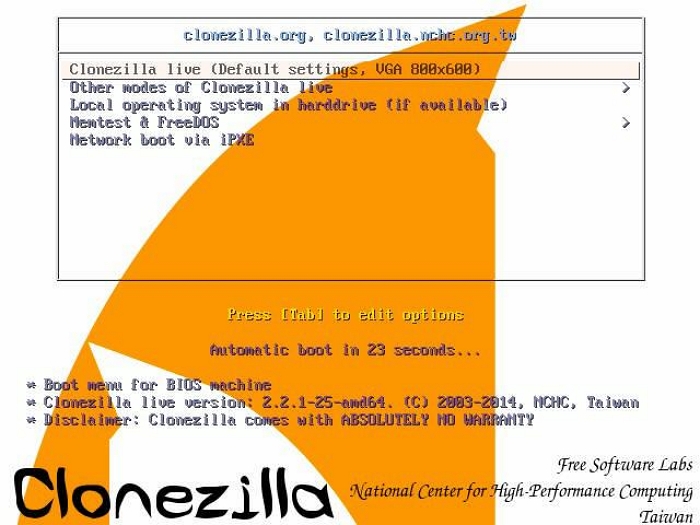
Clonezilla is the most technical option on this list. It is powerful, lightweight, and completely free, but the experience is very different from Carbon Copy Cloner. Most workflows require bootable USB media, manual configuration, text-based menus, and technical knowledge.
For advanced users, however, Clonezilla offers extremely flexible low-level cloning capabilities.
Best For
- IT professionals
- Linux users
- Advanced cloning tasks
- Large deployment environments
Key Features
- Sector-level cloning
- Partition imaging
- Multicast deployment
- Broad filesystem support
- Open-source architecture
| Pros | Pros |
| Completely free Extremely powerful Supports many systems Trusted in enterprise deployment | Not beginner-friendly No modern graphical interface More complex setup process |
For most regular Windows users upgrading from an old HDD to SSD, EaseUS Disk Copy usually provides the simplest experience.
But for users looking for a full Carbon Copy Cloner-style backup ecosystem with automation and recovery management, EaseUS Todo Backup or Macrium Reflect are often better long-term solutions.
Is There a True Windows Version of Carbon Copy Cloner?
Not exactly. The macOS and Windows manage system architecture differently. For example:
| macOS (CCC) | Windows |
| APFS file system | NTFS file system |
| Apple recovery partitions | Windows Recovery Environment |
| macOS boot structure | EFI + system reserved partitions |
| Time Machine ecosystem | Multiple backup ecosystems |
Which Windows Tool Feels Most Like Carbon Copy Cloner?
Different Windows tools replicate different parts of the CCC experience. Here’s the easiest way to compare them.
| If You Want… | Best Choice |
| Simple SSD migration | EaseUS Disk Copy |
| CCC-style easy workflow | EaseUS Todo Backup |
| Enterprise-grade reliability | Macrium Reflect |
| Open-source flexibility | Clonezilla |
| Full backup + cloud suite | EaseUS Todo Backup, Acronis True Image |
For most regular Windows users, EaseUS Todo Backup offers the closest experience to what CCC users expect simple UI, reliable cloning, fast migration, and minimal technical setup.
Carbon Copy Cloner Windows Alternative Recommended by User
Across forums and Reddit discussions, the most common conclusions are surprisingly consistent:
- Advanced users prefer Macrium Reflect
- Sysadmins often use Clonezilla
- Everyday users want something easier
- SSD upgrade users prioritize simplicity over advanced imaging features
That’s why simpler cloning-focused tools continue gaining popularity. Most users upgrading a laptop SSD or replacing an old HDD don’t want enterprise backup complexity; they just want a reliable bootable clone that works.
Final Verdict
If you’re looking for a Carbon Copy Cloner Windows alternative, there isn’t a perfect one-to-one replacement. But several Windows tools successfully replicate the most important CCC features.
For most users:
- EaseUS Disk Copy is the best choice for simple and reliable disk cloning.
- Macrium Reflect is ideal for advanced backup workflows.
- Clonezilla works well for technical users.
- EaseUS Todo Backup and Acronis True Image is best for all-in-one backup ecosystems.