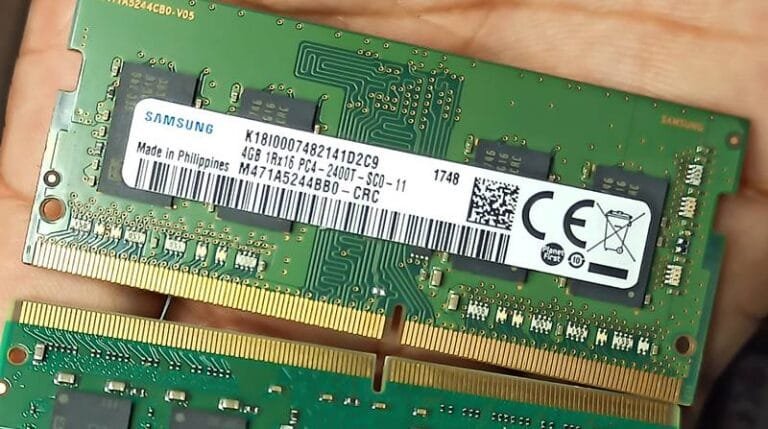
Imagine the RAM is a road that data travels through to reach the CPU.
In a single-channel setup, there is only one path.
In a dual-channel setup, two channels run in parallel.
The same goes for Triple Channel and Quad Channel Memory. In fact, this goes till 16+ memory channels. However, we will cover quad Channels and ensure you understand the concept correctly.
Memory channels matter mainly for bandwidth and not directly the speed. It also doesn’t double your RAM size — but it can double the bandwidth, meaning more data can travel at once. That helps especially in tasks like gaming, video editing, or multitasking.
Let’s discuss more about the memory channels and its types in this article.
What is a Memory Channel?
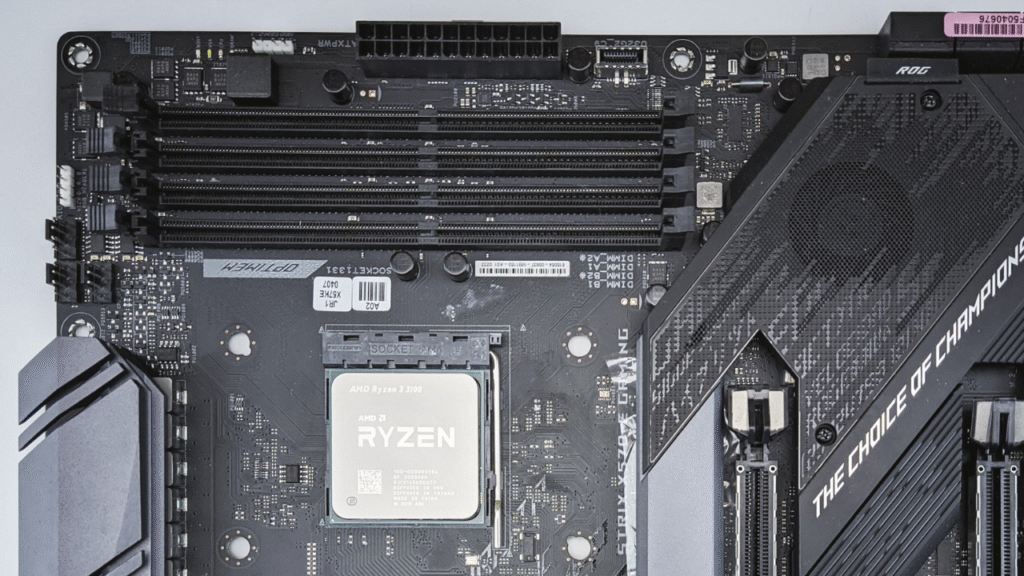
The CPU connects to the memory through a pathway. It is a dedicated data path between the CPU (or memory controller) and RAM modules (DIMMs). On the physical level, it is composed of copper traces (wires) etched into the motherboard, connecting the CPU socket (specifically, the memory controller) to the RAM slots (DIMMs).
These traces carry data lines, address lines, control lines, clock signals, power, and ground connections. Each channel has a set of these lines, allowing communications with one or two DIMMs per channel.
What is in a Memory Channel?
Each memory channel contains several electric signal lines, which include, firstly, the DATA lines that carry the actual data between the CPU and RAM. These are typically 64 bits wide (non-ECC) or 72 bits (with ECC, extra 8 bits for error correction). The DQ lines are bidirectional.
Then come the Control lines, which include signals like RAS (Row Address Strobe), CAS (Column Address Strobe), WE (Write Enable), CS (Chip Select), and CKE (Clock Enable).
Then come the Clock Signal lines. Because modern DRAM is synchronous, it operates in synch with a clock signal.
There are also Strobe Lines (DQS), which are used for timing the data transfer. Each group of 8 data lines has an associated DQS line for timing.
Who controls the data transmission?
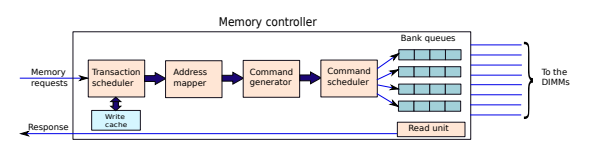
The memory controller manages all the memory operations. It is mainly responsible for sending the address and control signals. It also handles reading and writing data, as well as managing timing and CAS latency. The memory controller also performs error correction (if supported).
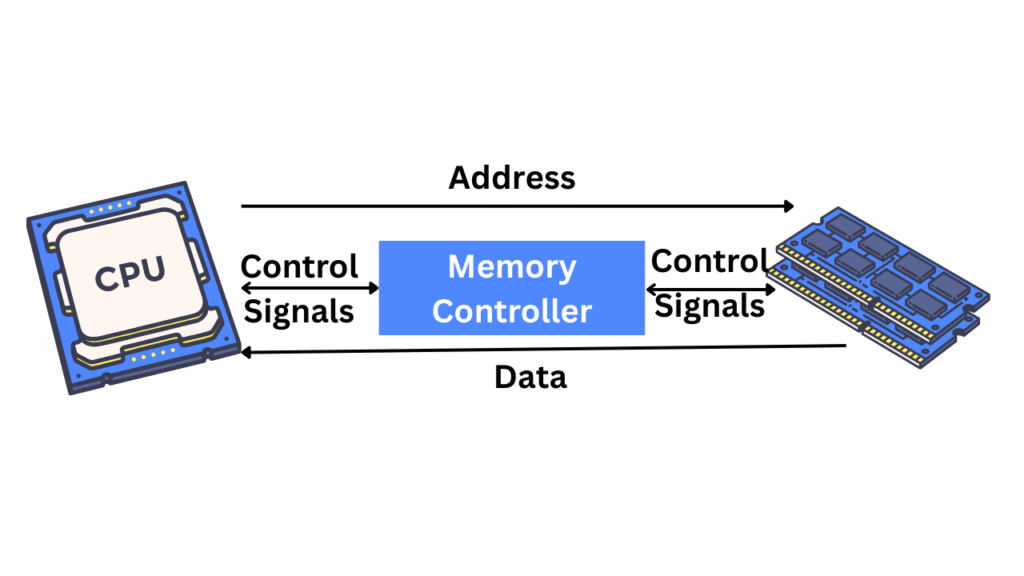
In modern CPUs (Intel since Nehalem and AMD since K8), the memory controller is physically integrated into the CPU. It is called an IMC (Integrated Memory Controller). In older times, it was a part of the North Bridge chipset.
Types of Memory Channels
Now, let’s understand the types of Memory Channels one by one. There are different types, depending on how many independent 64-bit-wide paths the memory controller supports. The ECC memory can have 8 extra bits for parity/error-correction, but we will discuss only a 64-bit bus width for easier understanding.
Single-Channel Memory
In a Single-channel memory, there will be a single 64-bit data path. It is common in older systems or budget laptops with a single DIMM. In this case, only one DIMM can be actively used per operation. Single-channel memory offers limited bandwidth compared to what modern systems demand and work with.
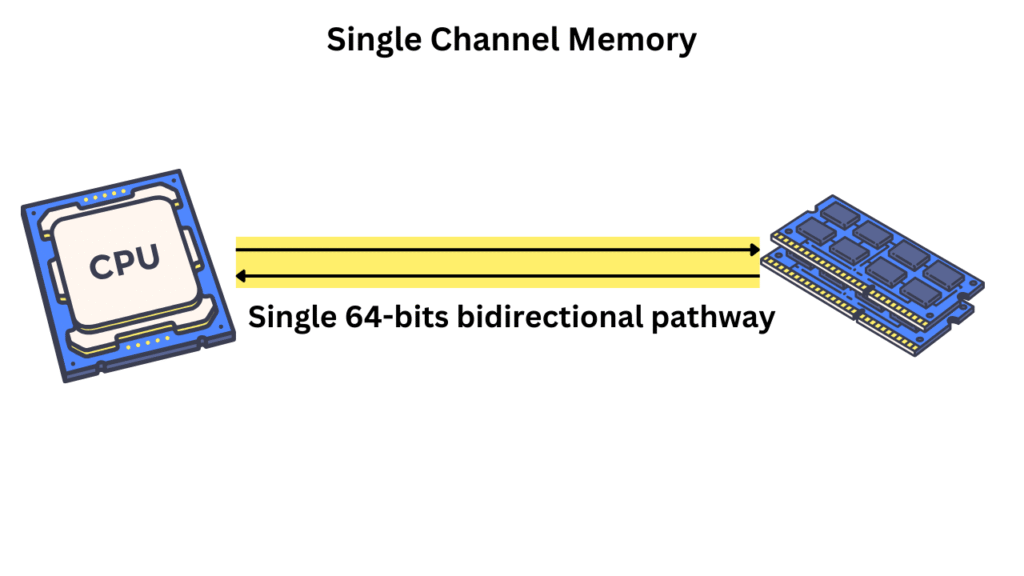
In single-channel memory, the memory controller communicates with memory using just one set of data, address, and control lines. You may have more than one physical DIMM, but if the CPU/motherboard only supports a single channel, they still share the same bandwidth.
The single-channel memory can cause a memory bottleneck in high-end systems. This will be highly noticeable when gaming with integrated graphics, video editing, rendering, or multitasking under load. The latency will be increased.
Let’s say you have a laptop with 8 GB DDR4-3200 RAM. Only one DIMM is installed, and the CPU features integrated Vega graphics.
- In single-channel mode, the Vega GPU has only ~25.6 GB/s memory bandwidth.
- In dual-channel mode (two 4 GB sticks), the GPU would have ~51.2 GB/s bandwidth.
Dual Channel Memory
Dual Channel Memory is a configuration where the CPU’s memory controller the memory controller uses two independent 64-bit memory channels. These channels can run simultaneously allowing the CPU to read from and write to the memory sticks at once. This doubles the total bandwidth compared to the single-channel memory.
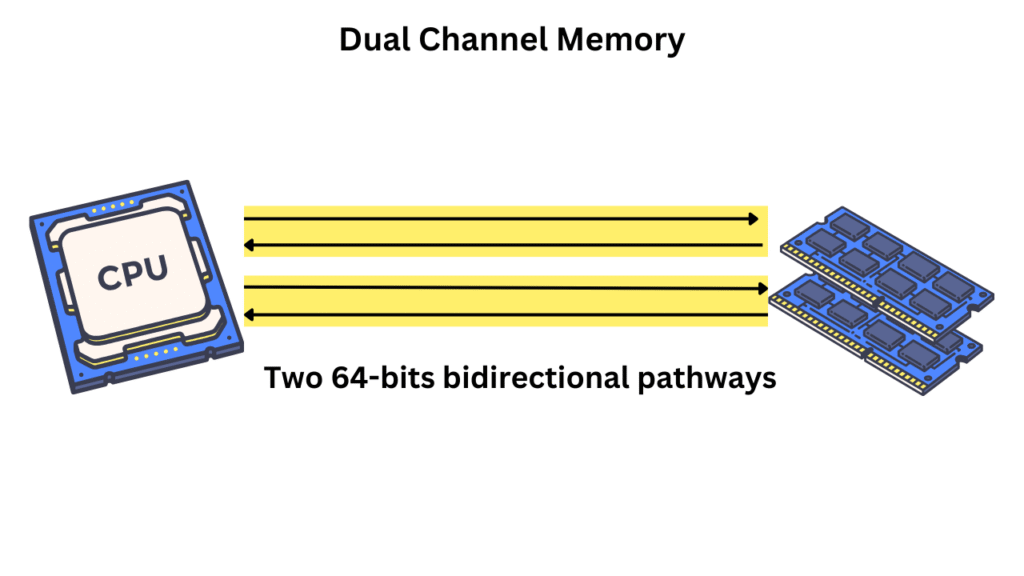
Each memory channel has its own 64-bit data bus along with address, control, and clock lines. So, in dual-channel mode, the total bus width becomes 64 bits x 2 = 128 bits. Memory controller can send the data in parallel across both the channels.
But, in order to the dual-channel memory to work, both memory channel must have compatible RAM modules with same size, speed, and timing. It is good to use the same brand/models as well. Atleast two memory sticks will be required to use the maximum allowed bandwidth.
Most systems automatically enable dual-channel memory if the memory is installed in the correct slots. Motherboard slots are usually labelled but, if not, using the alternate slots (A1 with B1 or A2 with B2) is recommended. It is good to check the motherboard user manual.

Now, if your motherboard has four DIMM slots and you are planning to install only two RAM sticks, to utilize the full bandwidth (with Dual-channel memory), you will have to install one in each memory channel. Again, they are normally the alternative slots but it going through the motherboard’s user manual is important. Installing two RAM sticks in the same memory channel will surely allow you to use the full RAM capacity but the allowed bandwidth will be half.

Mismatched RAM modules may enter in the Flex mode where one part will run in dual-channel while the rest stay in Single-channel. Dual-Channel memory is surely the feature of your CPU and the motherboard but the RAM sticks must be installed in the dual-channel configuration to make the use of this feature.
Triple Channel Memory
Triple Channel memory was introduced with the LGA1366 platforms. The CPUs like Intel Core i7-9xx and early Xeon used this memory configuration. In this configuration, there are three independent 64-bit memory channels for the communication between CPU and RAM. In this setup, the total bandwidth becomes 192-bits. However, these setups are rare today.
Typically, 3 or 6 RAM slots are arranges in the banks of 3. So, you will need atleast 3 memory modules to utilize the total allowed bandwidth.
Intel dropped the triple-channel memory after one generation while AMD never supported it. They moved directly from dual to quad-channel with Threadripper. Today, triple-channel memory is obsolete.
Quad-Channel Memory
In Quad-channel memory, the CPU can access four independent 64-bit memory channels simultaneously. It delivers 4x the memory bandwidth of a singe-channel system. Assuming the DDR4-3200 with 8 bytes per channel, the quad channel memory will offer the maximum bandwidth of around 102.4 GB/s compared to 25.6 GB/s in single channel.
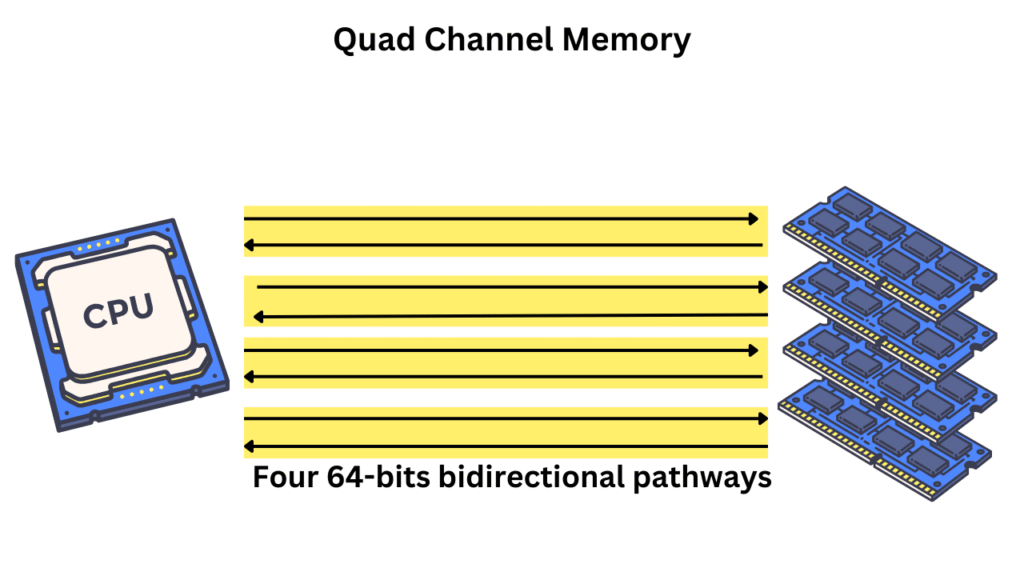
With quad-channel memory, the memory controller can read across four channels at once. So, in order to utilize the total allowed bandwidth, you would require at least 4 identical memory modules installed in each memory channel. They should be installed in correct slots and channel grouping (typically A1, B1, C1, D1 configuration).
Quad-channel memory is used only in high-end desktop CPUs like Intel Core i7/i9 X-Series and Ryzen threadripper. It is widely utilized in server and workstation CPUs like the Xeon scalable (Silver/Gold) and EPYC 7002/7003 series.
Higher-Order Memory Channels (6, 8, 12, 16+)
You can find consumer systems using till quad-channel memory. But, there are higher levels of memory channels mainly used in servers, workstations, and data-center CPUs. They offer massive memory bandwidth which is helpful in scientific computing, AI/ML workloads, databases, virtualization, and high-speed data processing.
Here is what you can expect with these high order memory channels.
| Channel Config | Data Bus Width | Total Width | Example Use Case |
|---|---|---|---|
| 6-Channel | 64 bits × 6 | 384 bits | Older EPYC, some Xeon Scalable |
| 8-Channel | 64 bits × 8 | 512 bits | Xeon Scalable, EPYC Rome/Milan/TR PRO |
| 12-Channel | 64 bits × 12 | 768 bits | EPYC Genoa (Zen 4) |
| 16-Channel | 64 bits × 16 | 1024 bits | Custom CPUs, future platforms |
In these higher-channel systems, there are some architectural differences as well including memory interleaving and NUMA (Non-Uniform Memory Access). However, these concepts are important to know if you are into the enterprise applications. So, we will leave them here.
Thanks for reading