Affiliate Disclosure: This post may include affiliate links. If you click and make a purchase, I may earn a small commission at no extra cost to you.
So, I recently overclocked my DDR5 RAM to 5200 MT/s. I also overclocked my CPU to 5.0 GHz. By chance, I got a video editing project with a lot of small 4K files I had to edit. So, I thought of creating a RAM Disk to store all that data. In my recent article on the best RAM Disk software, I mentioned that SoftPerfect RAM Disk was the fastest. So, I used the same, but with overclocked components this time.
Here are some screenshots from the Task Manager.
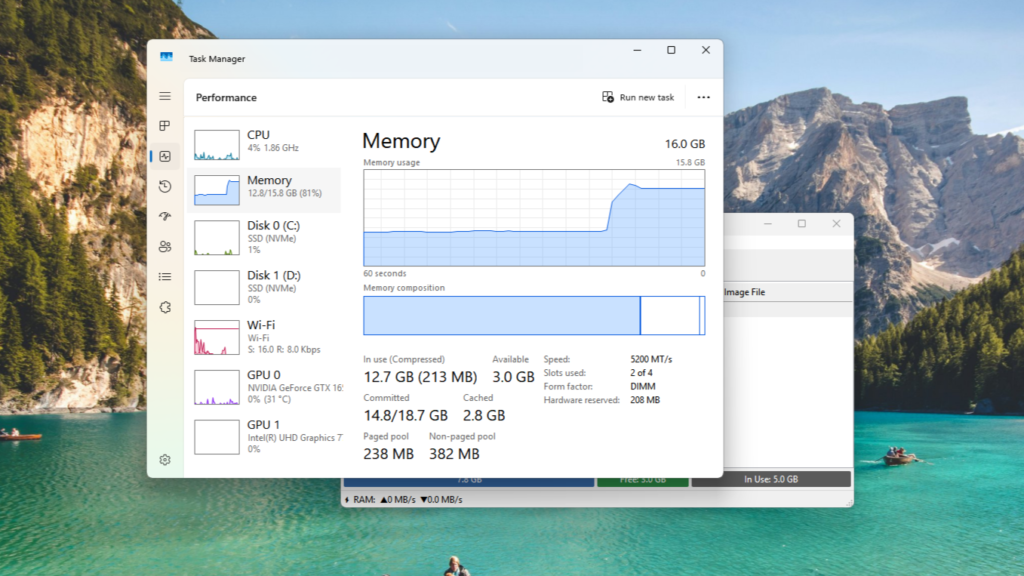

RAM Disk Setup
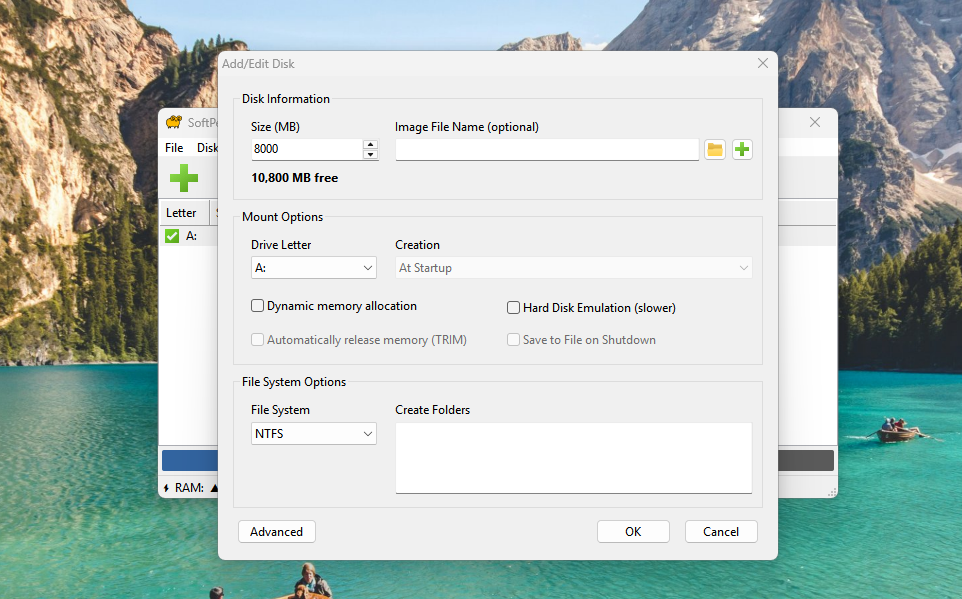
Using SoftPerfect RAM Disk, I created an 8GB RAM Drive with Static Memory allocation. In it, the 8GB of memory will be fully assigned to the RAM drive. Dynamic memory, on the other hand, frees up unused memory space for other system tasks. I chose the NTFS file system.
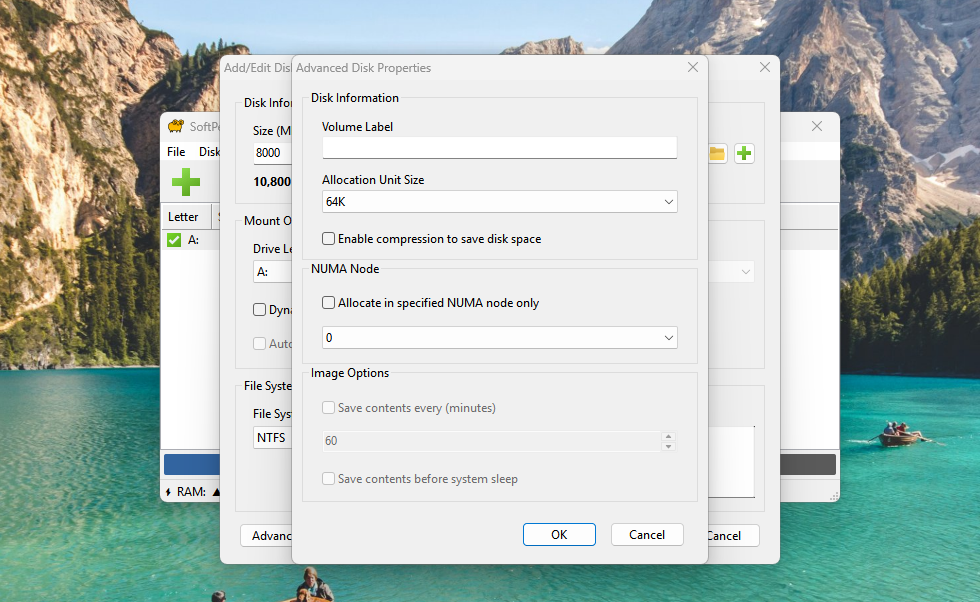
The software allows you to set the allocation unit size, which I set to 64KB. Smaller units mean the RAM Disk is optimized for random and small-file movement. A larger unit size will mean the drive performs better with sequential data, such as large video files. Read more about sequential and random data.
The Performance
First, I ran the CDM in the Real-World performance profile. The test size is set to 1 GiB, and 3 test iterations were performed. With a smaller test size, even crazier numbers can be reached, but I wanted to keep it practical. These were the results. I was very impressed by the write performance, specifically. Also, the random 4K IOPS were crazy.
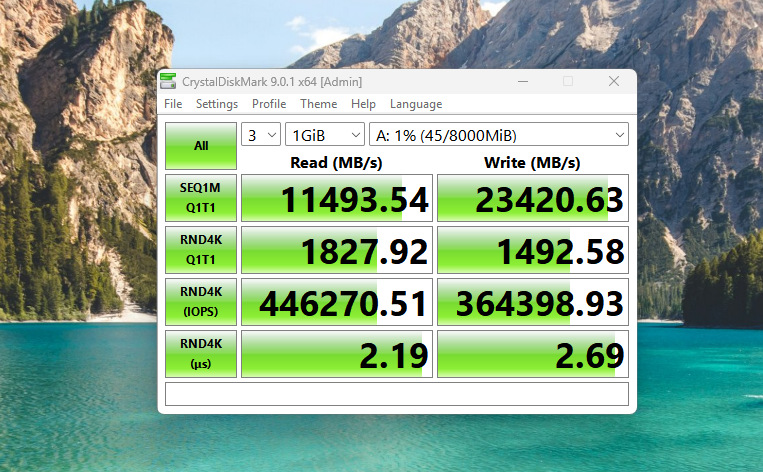
Then, I used the peak performance profile to see the top limits of this RAM drive. And these were the results.

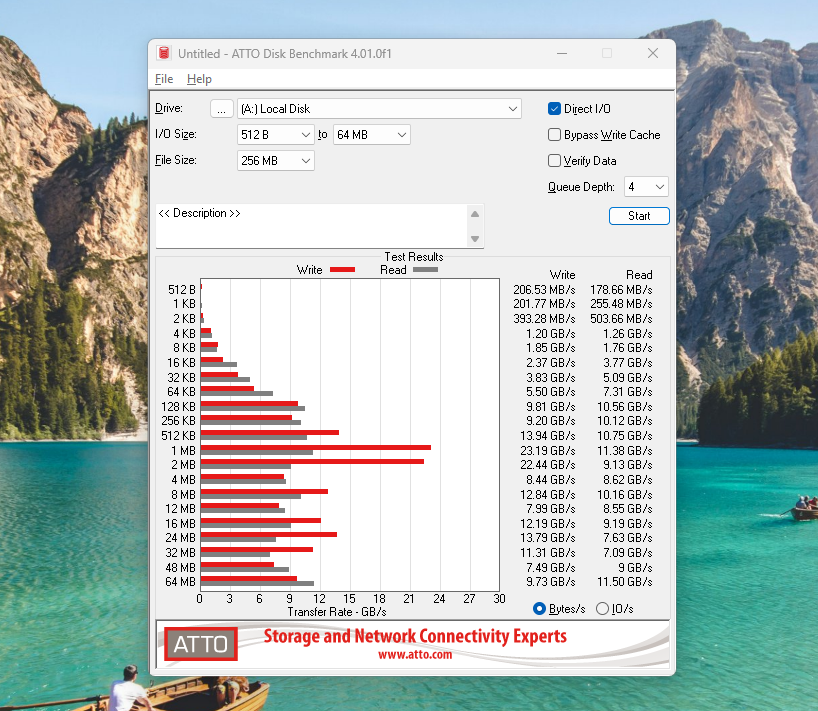
Below are the results from the ATTO drive benchmark. At smaller block sizes, performance isn’t that high, but as we go above 16KB, you can see the speed ramps up exponentially, reaching 7.31 GB/s read and 5.50 GB/s write at 64KB. The speed peaked at 1MB block size, reaching 23.19 GB/s write and 11.38 GB/s read. See the results below.
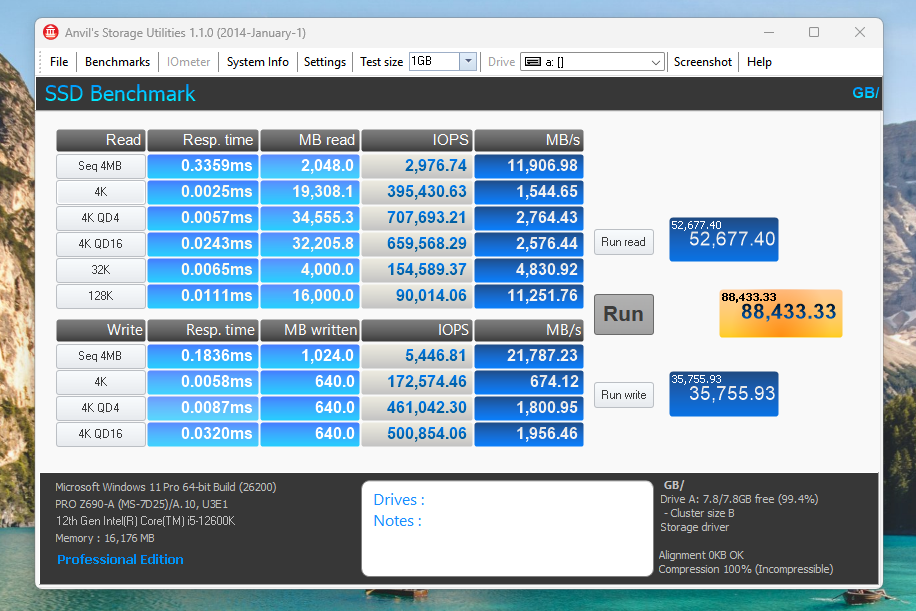
Now, it’s time for the Anvil Storage Utilities, and this RAM Disk scores a whopping 88,433. For reference, the WD Black SN8100 scores around 42,000 Anvil score.
What is a RAM Disk used for?
The purpose of a RAM drive is to quickly move large files here and there, especially when you have a slower storage drive. File copying can take long durations if you are dealing with larger files. So, a RAM Drive can act as a dump for all that data. However, you can set up auto-save features that save your data in real time or when you close the system. You can load those image files to restore your data to the RAM drive. Here is how you can create a RAM drive easily.
It is best to keep the dynamic memory function enabled if you have limited RAM; otherwise, it will remain occupied even when the RAM drive is not in use. Also, having enough RAM is vital because its over-utilization can hinder your system’s performance.
A Disclaimer
I want to be clear that a RAM drive can never replace an SSD or a hard drive in some cases. But it is a great way to utilize your free RAM in specific workflows. The faster your RAM, the faster will be your RAM drive. Video editors, content creators, programmers, testers, and others use RAM drives in their daily work. So, if you can find a purpose, it’s good. Otherwise, it is another cool trick that is no use for you in the real-world.