

Affiliate Disclosure: This post may include affiliate links. If you click and make a purchase, I may earn a small commission at no extra cost to you.
I am always interested in RAM disks and create them frequently to speed up my workflows. I have used almost all the RAM disk software available online, including tmpfs on my Linux system. However, RAM disk software makes it easier for you to create and customize your RAM drives.
If you are reading this article, you probably know what a RAM disk is and what it is used for. A “RAM disk” (or RAM drive) is a virtual disk created from some portion of your system’s memory (RAM), but exposed to the OS as if it were a regular drive (HDD / SSD). Now, because DRAM is inherently faster and has lower latency, it gives us much higher read/write performance.
If you are a general user, content creator, or anyone working with non-critical data, you can pick any free RAM Disk software and start using a RAM Disk. However, if you have specific goals, the software selection should be carefully considered. I have tested all available RAM Disk software, whether paid or free, and in this article, I am going to present the ultimate list of the best RAM Drive software.
Things to know before we proceed
RAM isn’t supposed to be used directly by end users; the operating system sets these rules. However, with a RAM Disk, we make RAM usable for everyday tasks like moving files and folders. But, because RAM is volatile, the data is lost when the system is turned off. But most RAM Disk software will offer options to save the contents of your RAM Disk before the system shuts down. This way, you can access the content on the next boot.
There is still a risk of data loss, especially if you have only one copy of the data and that’s on a RAM Disk. So, make sure to use a RAM Disk as a disposable, secondary, but high-speed storage location. Even though you have enabled auto-save in your RAM Disk software, keep an extra copy of your data in a permanent storage like HDD or SSD.
RAM Disk software uses up your main memory, and if you have less of it, your system performance may suffer. Some software allows you to allocate memory dynamically and frees the unused space for the system. But your system can still face issues if you overutilize your RAM. So, upgrade your RAM with more space if you are planning to go big with your RAM Disks.
Benchmarks Disclosure
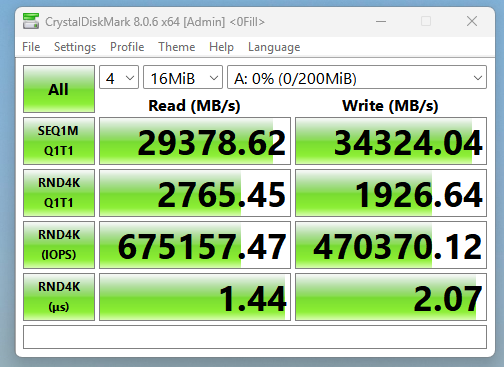
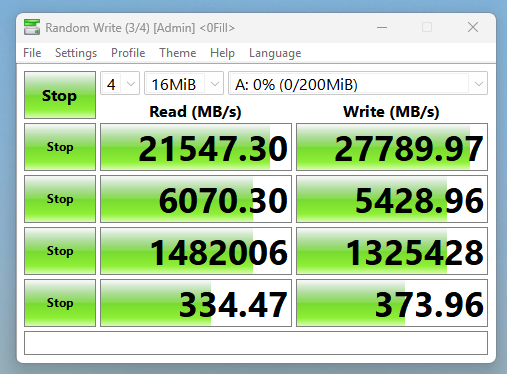
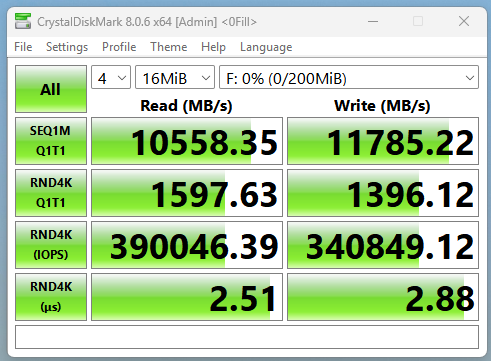
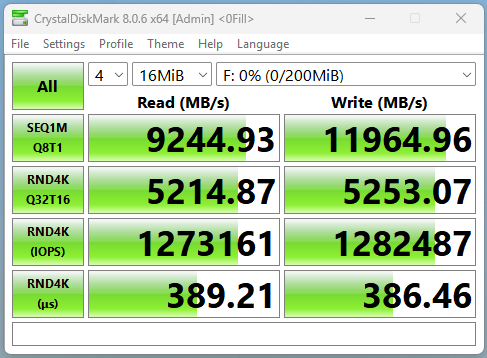
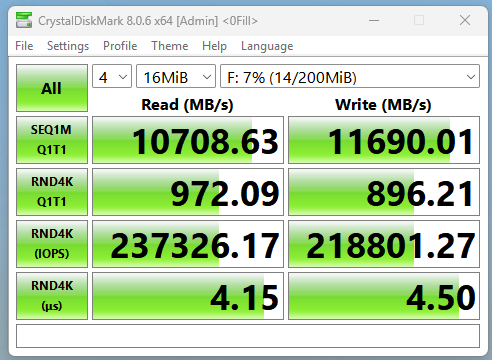
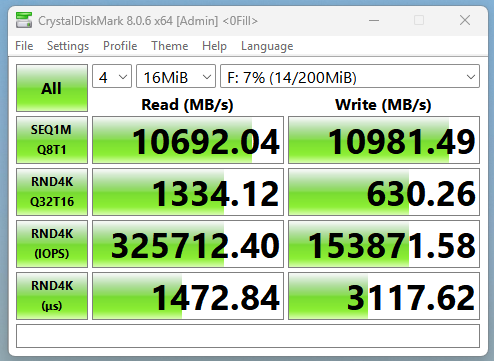
For each RAM Drive software, I have created a basic 200MB disk for benchmarking. I have enabled dynamic memory wherever available and kept everything unchecked. I will add CDM scores with each software. I have a 4200MHz DDR5 RAM in my system with a 12600K CPU. I am mentioning this because RAM Drive performance will depend heavily on how fast your primary memory is. The benchmark settings, however, are the same for each RAM Disk.
1. SoftPerfect RAM Disk (Great for Most users)
| Pros | Cons |
|---|---|
| Mature, stable driver architecture compared to many older RAM-d isk tools. | Some users report instability on sure Windows builds (rare BSOD on reboot/sleep). |
| Supports multiple RAM disks simultaneously with independent settings. | Interface feels dated compared to more modern commercial tools. |
| Allows persistent RAM disks using image files (auto-save/auto-restore). | Persistent mode slows shutdown/startup because disk images must be written/read. |
| Available for both Windows and macOS | |
| Very flexible configuration: filesystem choice, cluster size, mount order, auto-run scripts. |
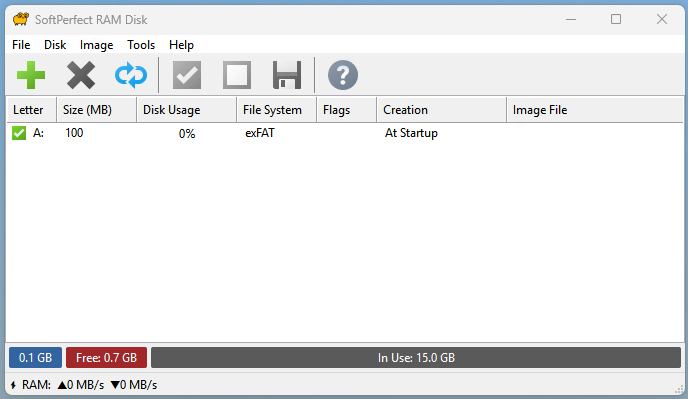
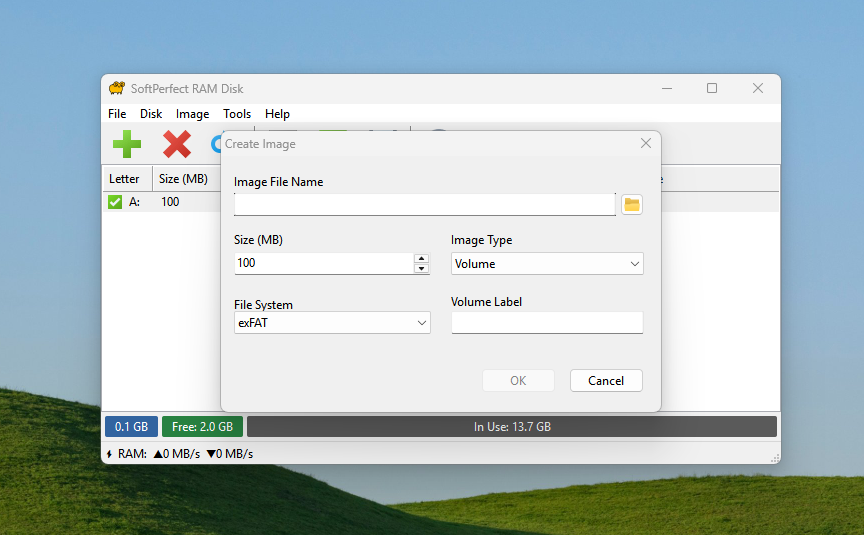
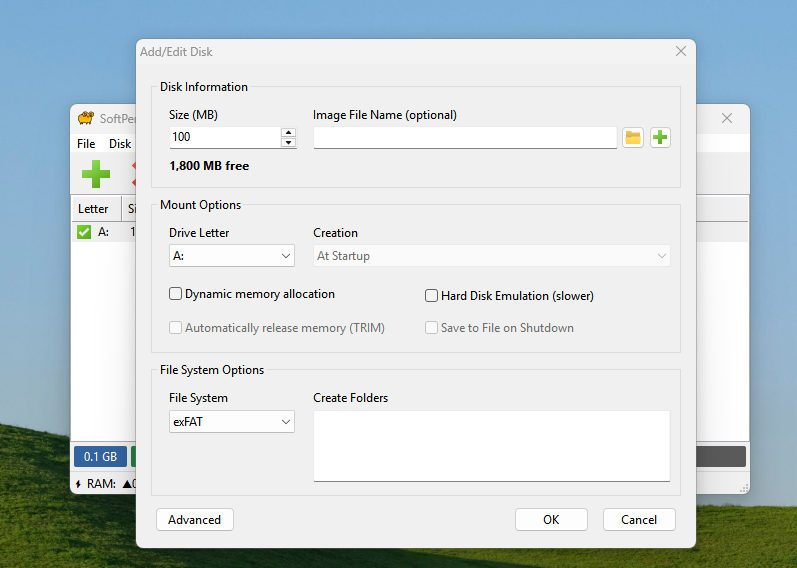
SoftPerfect RAM Disk is a very popular and historically regarded as one of the most feature-rich RAM-disk tools. It allows creating many RAM disks (up to the drive-letter limit, or 26 on Windows). It supports both volatile RAM disks (data lost on shutdown) and persistent RAM disks (backed by an on-disk image and smart sync), which helps if you want data to persist across reboots.
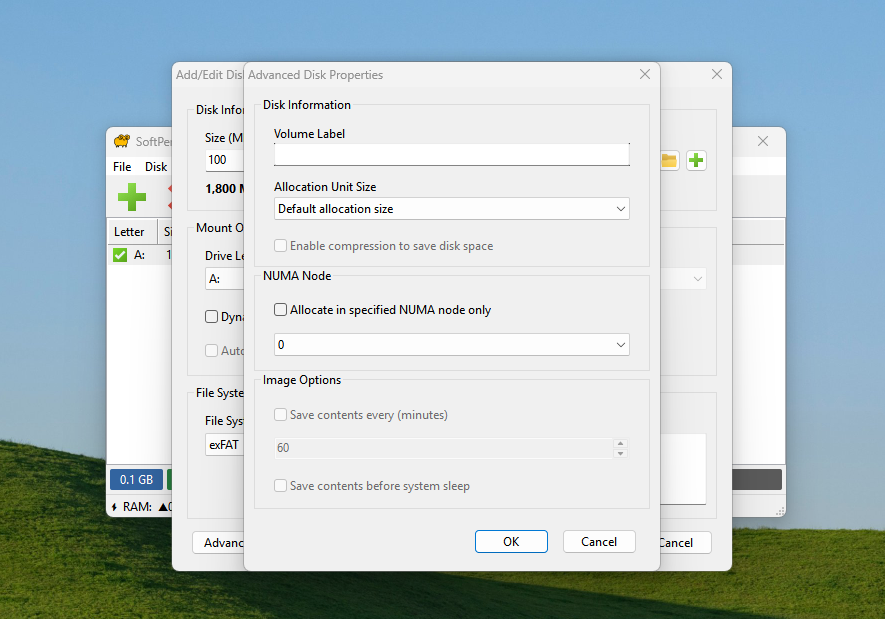
When creating a RAM Disk, this program allows you to select the desired file systems. You can also choose to run a RAM Disk on startup or manually. It also supports command-line and scripting. Dynamic memory allocation is also supported. It also has a hard-disk emulation feature, which behaves like a slow hard disk rather than offering the full RAM Disk speed.
In addition to changing the default allocation size, you can enable compression to save disk space. The main menu is simple and shows the disk usage of all your RAM Disks. All in all, I love this software because it is easy to use, fast, and free. So, anyone starting their journey in RAM Disks, I would definitely recommend this software.
CrystakDiskMark Benchmarks of SoftPerfect RAM Disk
2. Primo Ramdisk (Best for Advanced Users/Paid)
| Pros | Cons |
|---|---|
| Extremely flexible: supports multiple disk types (RAM-disk, hybrid-disk, file-disk, SCSI/Direct-IO). | Full functionality requires purchasing a license. |
| Can create up to 128 RAM Disks, depending on edition. | Interface and settings can be complex. |
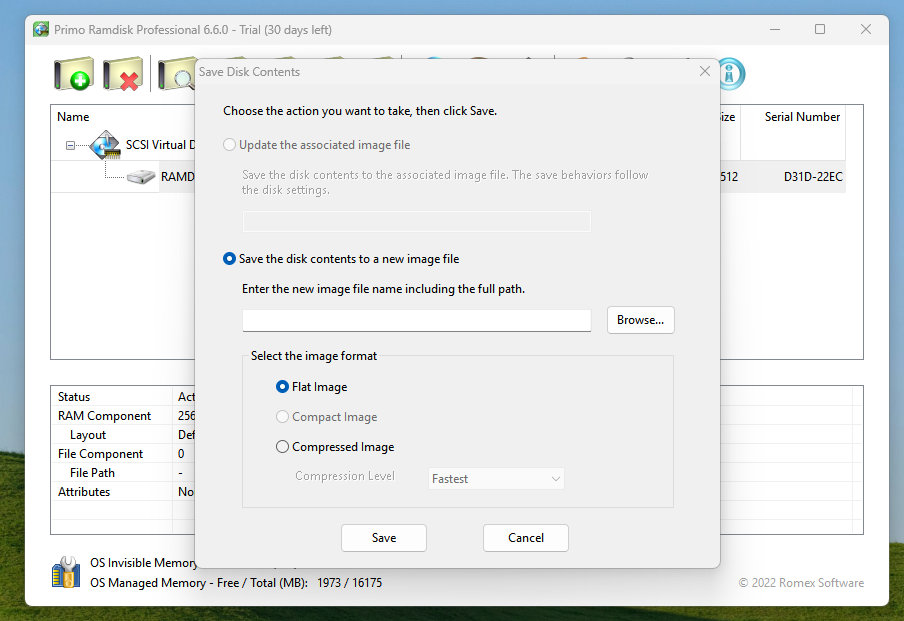
| Offers compressed, flat, or differential image files. | |
| Supports command-line automation and scripting. | |
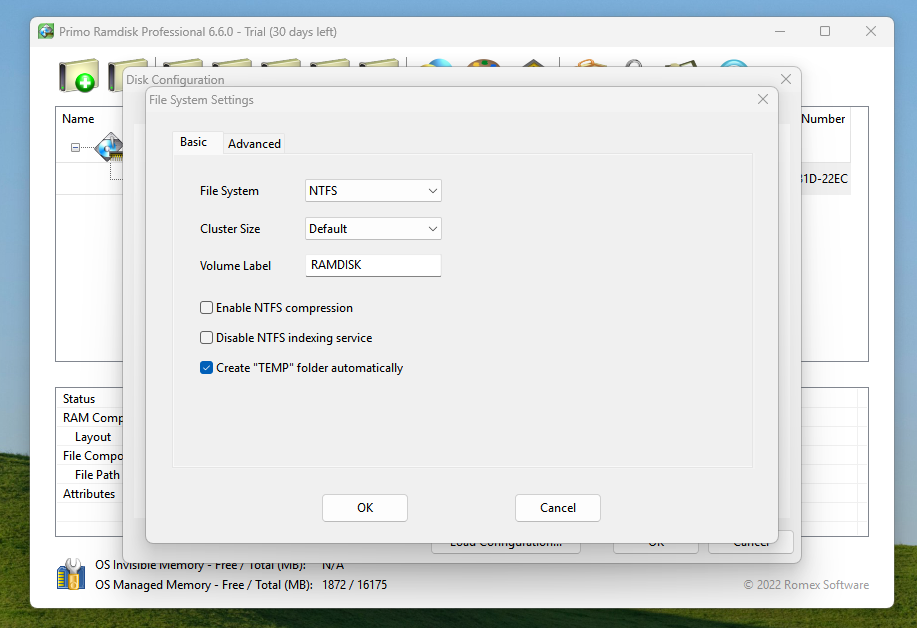
| Strong integration with Windows storage stack, supporting all major filesystems and partition styles. |
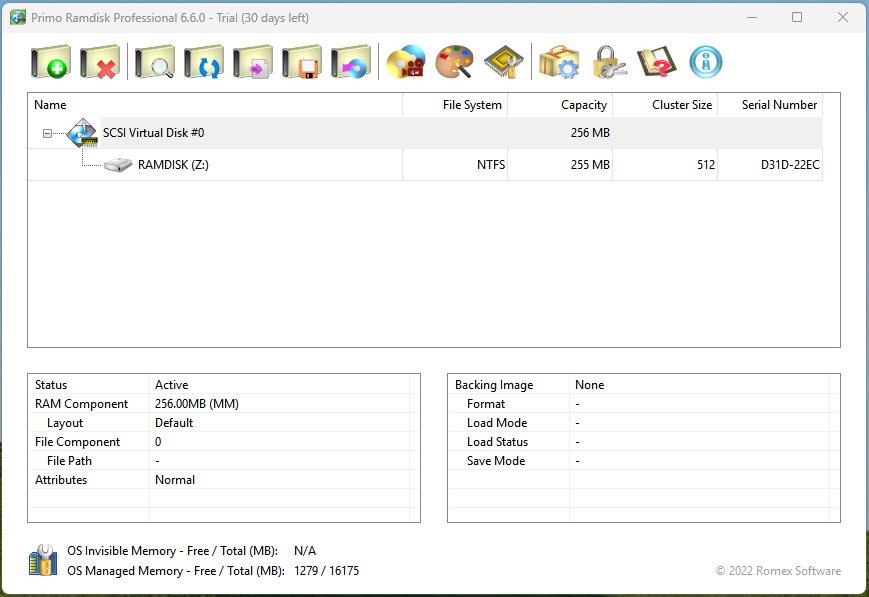
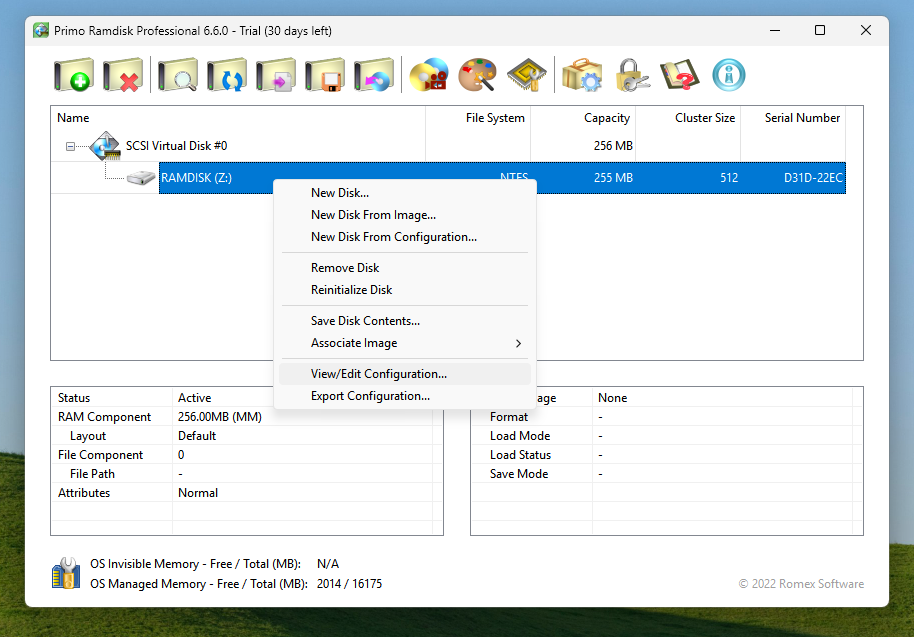
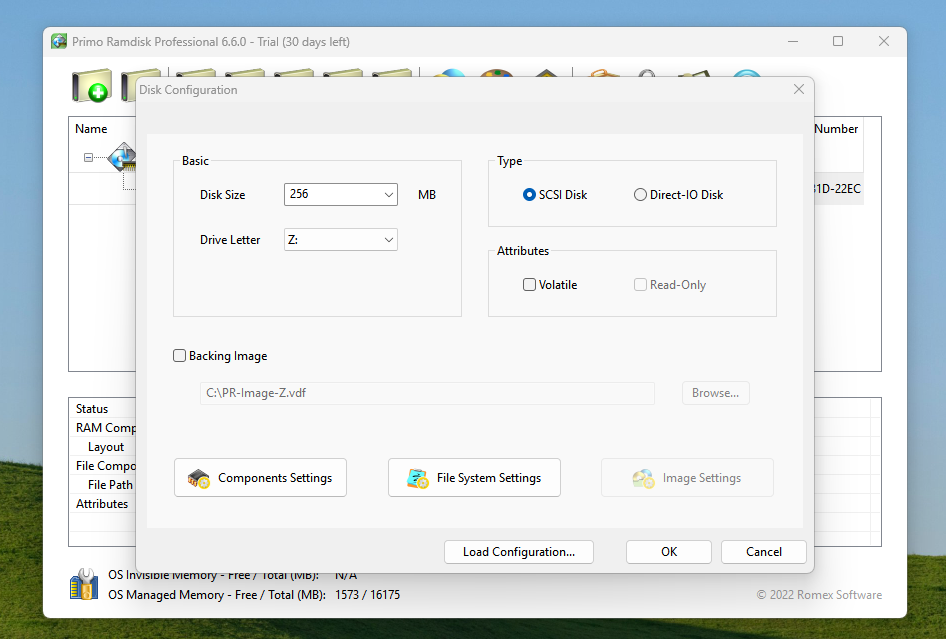
Primo Ramdisk is a paid program with a 30-day free trial. It is a much more advanced and commercial RAM Disk solution. If you have heard of VSuite or VSuite Ramdisk, Primo Ramdisk is its successor. It offers a broad feature set, including RAM disks, file-backed virtual disks, SCSI/Direct-IO modes, and support for many virtual disks.
The Pro version of this software offers up to 128 virtual disks. In the advanced edition, up to 1TB of virtual disks can be created. This way, it is far more flexible than most of the free tools. You can create a variety of disk types, such as RAM Disks, hybrid disks, SCSI/Direct-IO disks, etc. In simple words, this program is suitable for advanced users, professionals, workstations, or servers. Some use cases are large compile farms, build caches, VM storage, and databases.
Again, it’s a paid solution (so cost is a factor). Also, since this is more niche/advanced, it might be “overkill” for typical desktop users. In the peak performance benchmarks, however, Primo Ramdisk outperformed SoftPerfect RAM Disk in both sequential and random tests.
CrystakDiskMark Benchmarks of Primo Ramdisk

3. AIM Toolkit (Best Open Source)
| Pros | Cons |
|---|---|
| Open-source and free to use | Combines a GUI, driver, and utilities: integrates RAM-disk creation and image-file mounting into one suite. |
| Supports a wide range of image file formats like VHD, VDI, VMDK, raw, ISO/IMG/BIN/NRG | For non-standard or exotic filesystems, extra drivers may be required |
| Let’s you create RAM-disks easily, with user-defined size, drive letter | Some legacy software or older Windows builds may still run into unexpected compatibility quirks |
| GUI makes disk/image mounting accessible even for less technical users | |
| Mounts are visible to Windows’ Volume Manager |
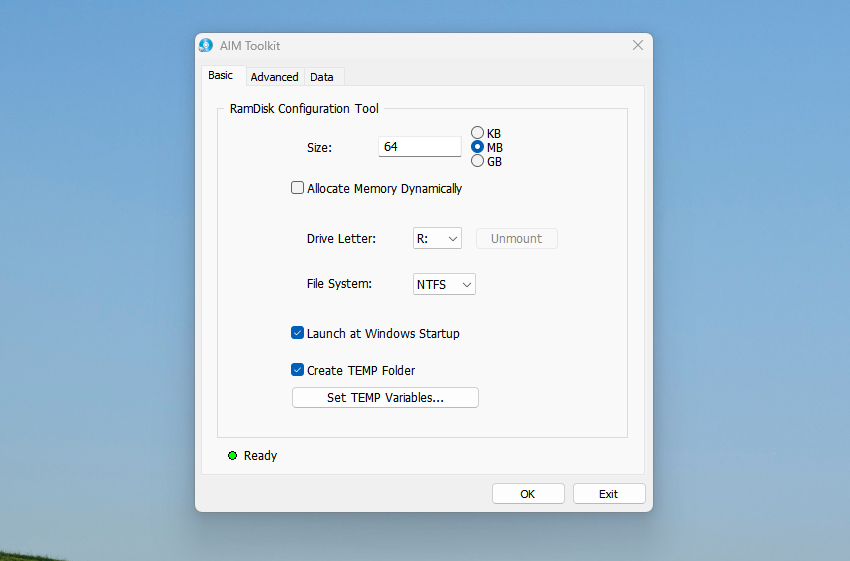
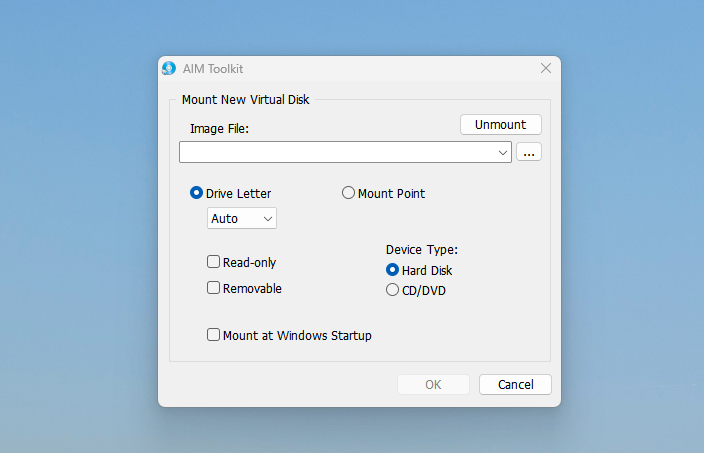
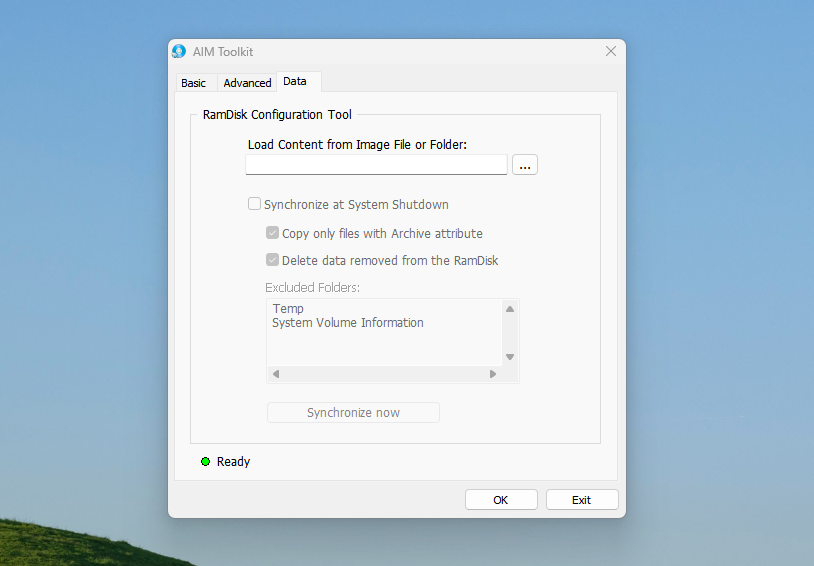
The AIM Toolkit is developed on top of the very Popular ImDisk RAM Disk software. Visually, it is the same as ImDisk, but addresses many functional issues present in the ImDisk program. When you install this program on your computer, it creates two shortcuts on the desktop. One is for creating RAM disks and another for mounting the image files.
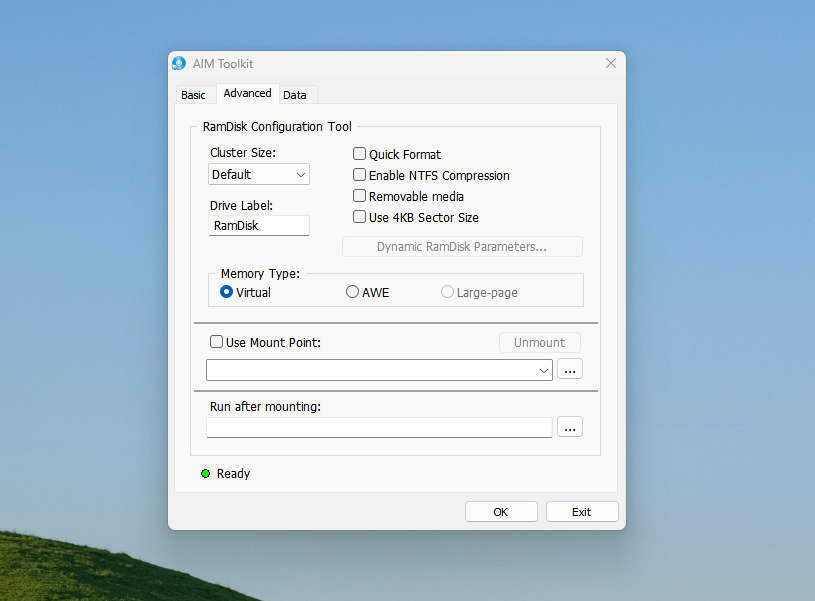
AIM Toolkit also comes with dynamic memory allocation, which is an optional feature. You can choose from NTFS, FAT, FAT32, and exFAT file systems for your virtual drive. You can set the cluster size to 0.5 KB to 64KB. NTFS compression, Quick Format, 4KB sector size, and AWE memory type features are available in this program.
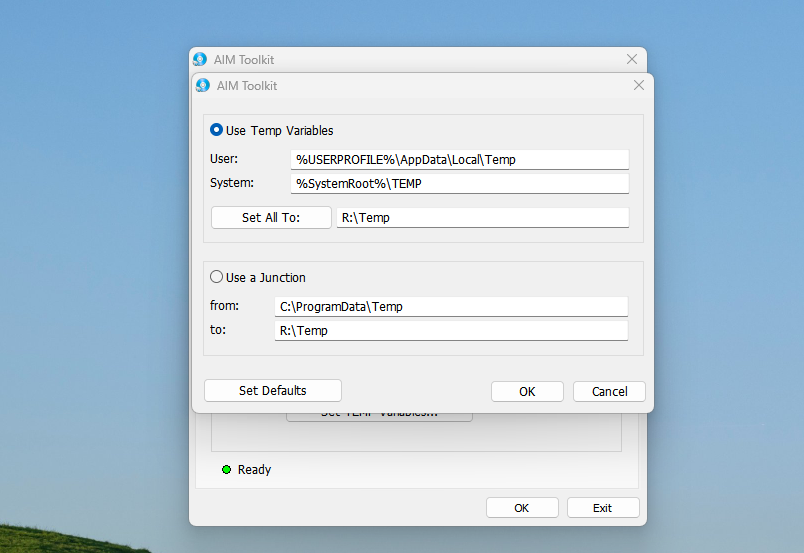
You can set up the auto-save feature in the Data tab in its main menu. You can assign a folder to it and choose to synchronize everything at system shutdown. You can also enable or disable the auto-run when Windows boots. This will automatically load the content of your RAM Disk if you have selected the auto-save feature. Although the program can be a little intimidating for some users, it has all the necessary features to help you get started with a RAM Disk. So, it is worth giving a try.
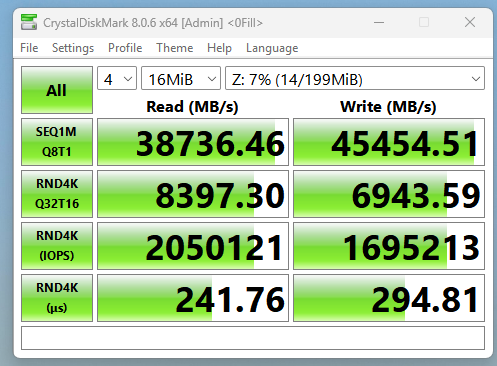
CrystakDiskMark Benchmarks of AIM Toolkit


4. Arsenal Image Mounter (Great for Heavy Usage)
| Pros | Cons |
|---|---|
| Mounts disk images as real/complete disks (virtual SCSI disks) in Windows | More complex than a simple “mount image as drive” tool |
| Supports raw (dd), forensic formats (E01, AFF4), virtual-machine disks (VHD, VMDK, qcow, etc.), and more. | Some advanced features like virtualization, VSC mounting, and BitLocker are available only in the Pro version. |
| Offers static or dynamic RAM-backed disks and image mounting | Offers a command-line interface (CLI) and scripting support |
| Offers command-line interface (CLI) and scripting support |
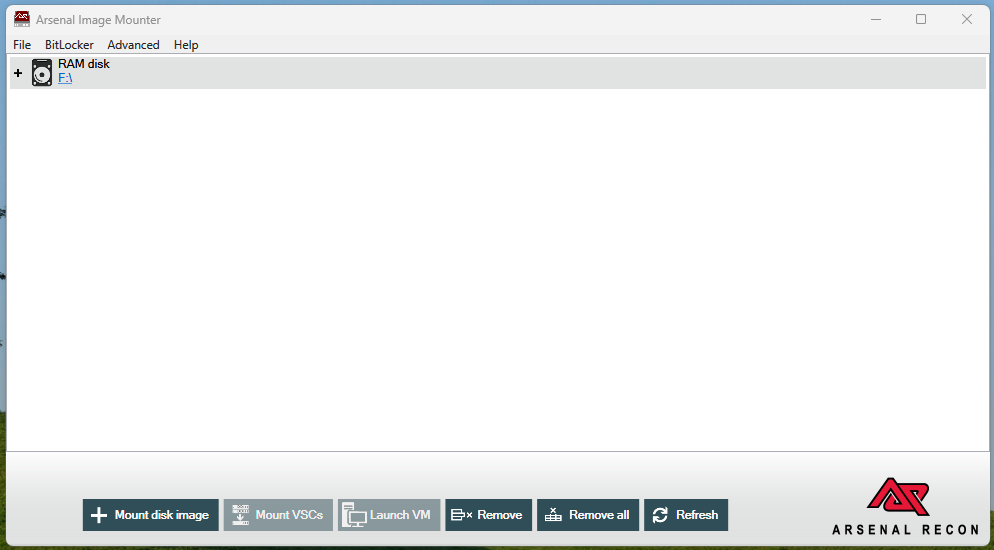
AIM Toolkit and Arsenal Image Mounter (AIM) are two different programs. This one is for advanced users with both free and paid plans. You can read their detailed walkthrough to know more about the functionality. The paid version is a full-fledged virtual disk and RAM Disk program, but the free variant is more than enough for most users.
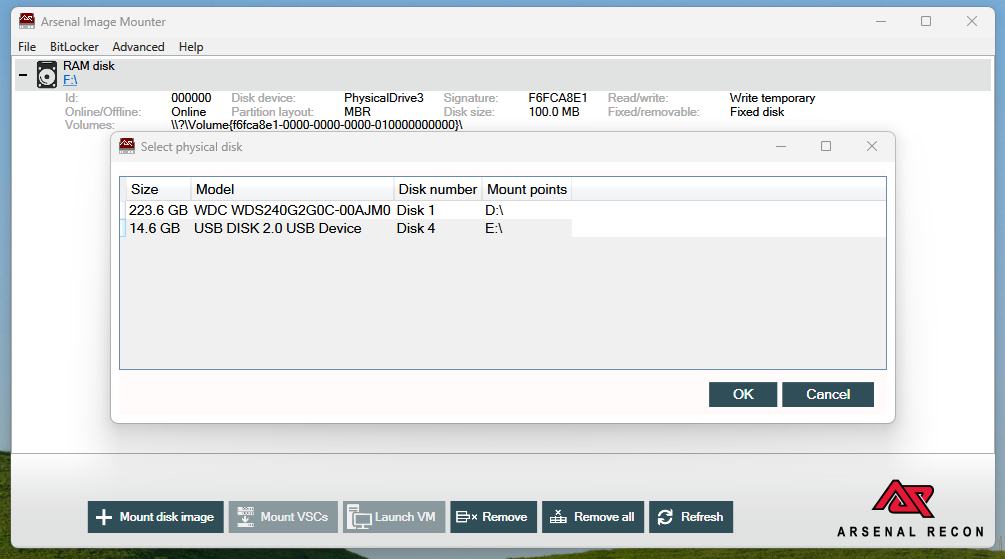
Arsenal mounts forensic images, VM disks, raw/“dd” images, etc, as real disks (SCSI-style) in Windows, rather than as simple shares or partitions. Now, because the mounted image “looks” like a real physical disk to Windows, you get full disk-level integration. It supports a wide range of file systems, including NTFS, FAT32, exFAT, ReFS, HFS+, UFS, Ext2/3, and more.
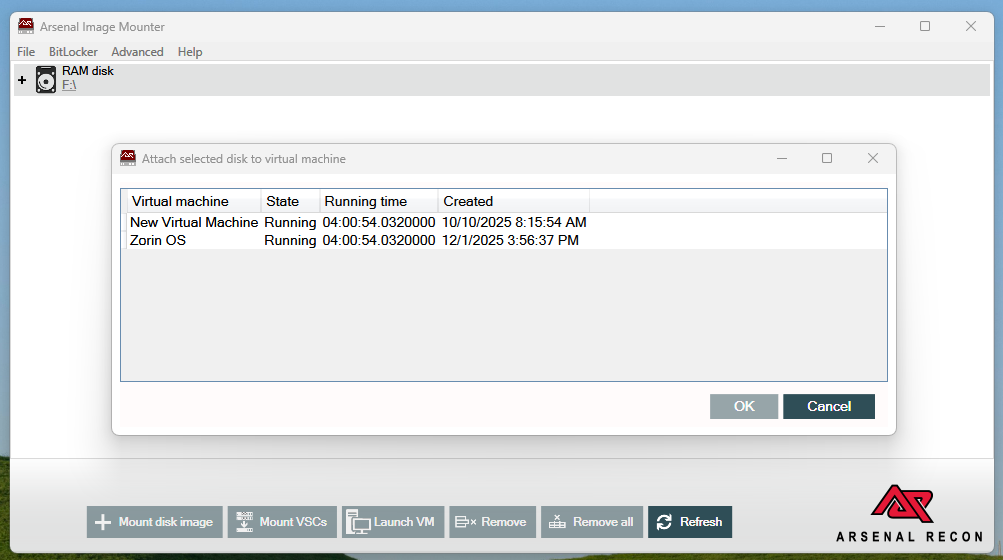
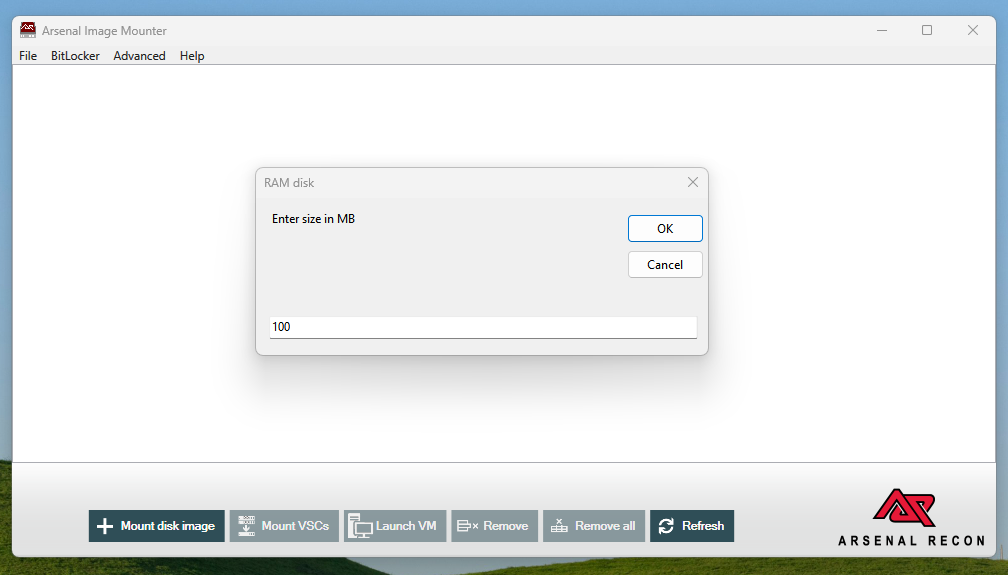
The paid version has BitLocker and encryption support as well. In my opinion, the free version is great for creating static or dynamic RAM Disks. In Professional Mode, AIM can boot a mounted image (or even a snapshot/volume shadow copy) directly as a VM. So, with the paid plan, you can use it as a professional program for any purpose you want.
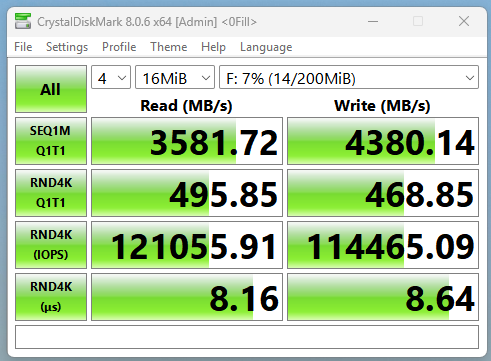
CrystakDiskMark Benchmarks of Arsenal Image Mounter RAM Disk

5. StarWind RAM Disk (Simple but Lacks Features)
| Pros | Cons |
|---|---|
| It’s a freeware | It lacks advanced features (e.g. persistent image-save, auto-save, dynamic memory, and hybrid-disk) |
| Very easy to setup and use | Anything stored is volatile. Lost on shutdown or power loss (unless you manually back up elsewhere). |
| Good for temporary storage, caches, test/build environments, scratch data because it uses static system RAM | |
| Low overhead: small install size, minimal background services — good for modest or older systems. (LO4D.com) |
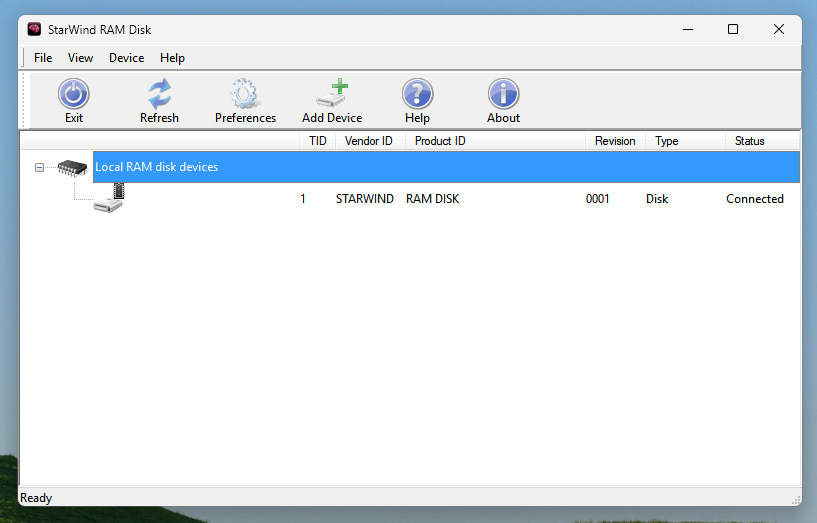
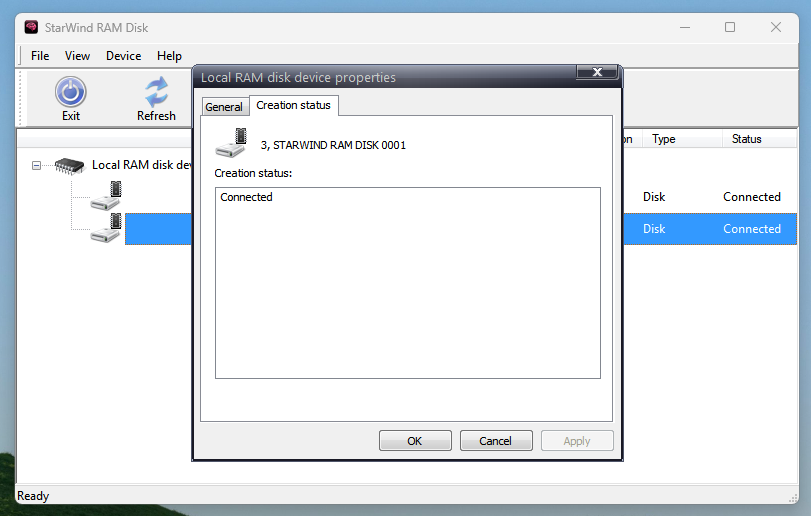
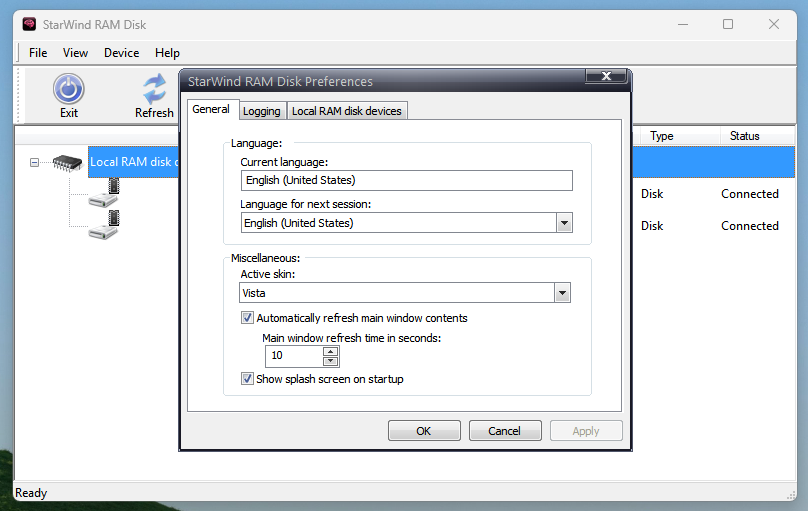
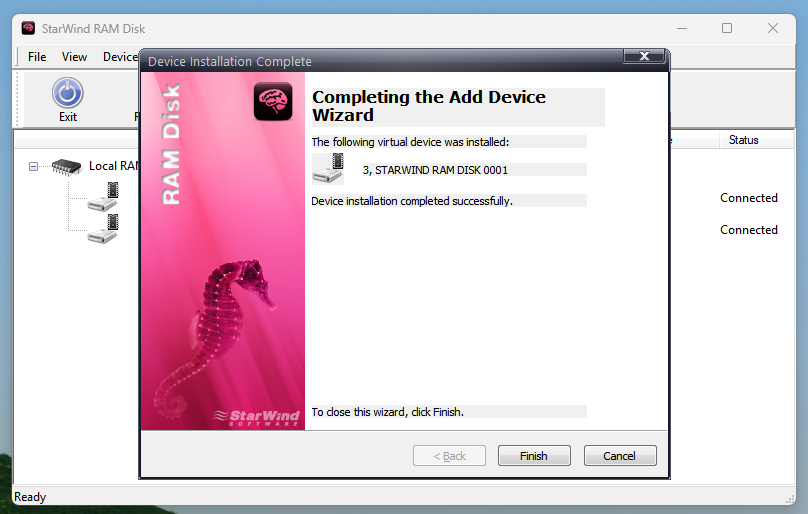
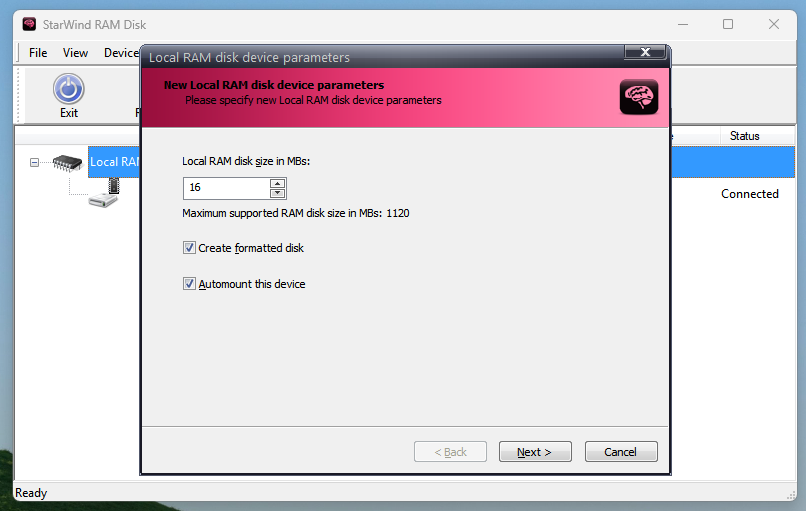
StarWind RAM Disk is another excellent and beginner-friendly RAM Disk software. Perhaps it is the simplest program that I have ever used for creating RAM Drives. You can’t even load image files to it. When creating a RAM Disk, you are asked for its size and whether you want to format the drive. Another checkbox lets you choose whether to automount this device. That’s it. You get your RAM drive without any auto-save functionality.
So, we can say it is helpful for beginners, but at the same time, if you want to use even the basic RAM Drive features like persistent storage or dynamic memory. It won’t give you that. If you have to set up a backup, you’ll have to do that manually.
CrystalDiskMark Benchmark of StarWind RAM Disk
6. OSFMount (Open Source and Basic)

| Pros | Cons |
|---|---|
| Freeware and broadly compatible with modern 64-bit Windows. | On some Windows builds, OSFMount’s driver may fail to load |
| Supports raw images (IMG, DD), ISO/BIN, forensic images (AFF, E01), virtual disk formats (VMDK, VHD), and more. | RAM disks consume real RAM. No Dynamic memory allocation |
| By default mounts image files as read-only, preserving original image integrity | The user interface is fairly minimal |
| Lightweight: small install size |
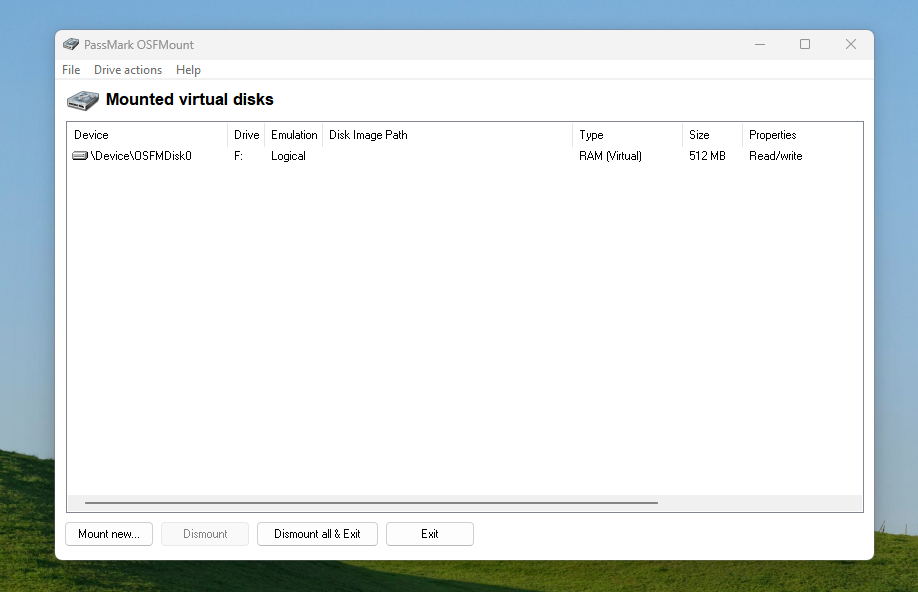
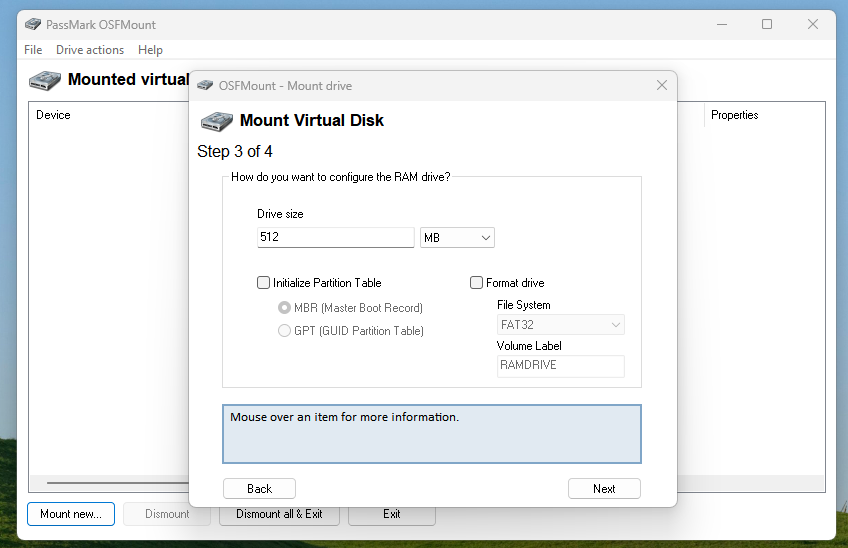
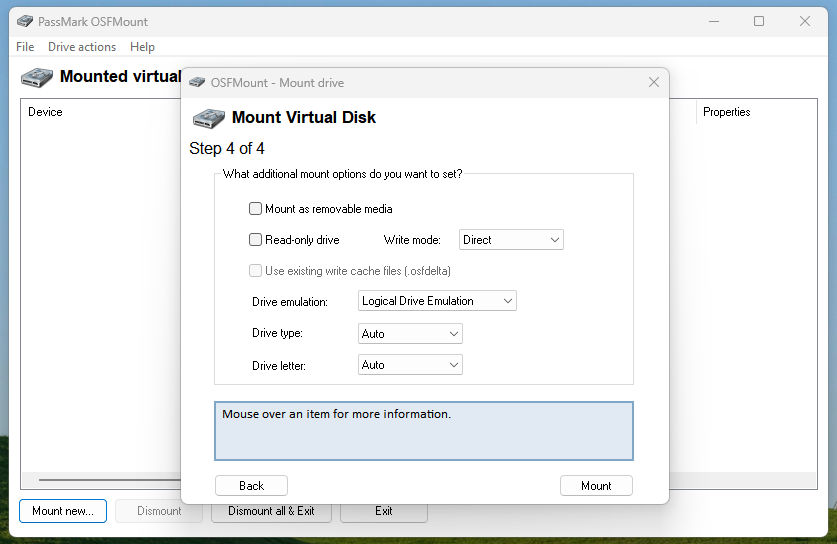
OFSMount is more of a mounting program for image files, but it also lets you create RAM Disks if you want. It doesn’t have dynamic memory allocation, but it allows you to change the partition tables during initialization. You can mount your RAM Disk as a removable drive or make it read-only.
You can either choose logical drive emulation or physical drive emulation. You do not get many features, but it is a great tool if you just want a simple RAM drive, especially one with a predefined memory space for important tasks. It assigns only the memory space and not any drive space, which can be both good and bad in different scenarios. All in all, OFSMount can be a good pick if you want a free RAM Disk software that just works.
CrystalDiskMark Benchmark of OSFMount RAM Drive
Conclusion
You can try out all these RAM Drive software and find the suitable one for you. I have tested all of them, and they work pretty well even under high load. I want to mention some other reputable RAM Disk software, such as Gavotte Ramdisk, Gilisoft RAM Disk, and Dataram Ramdisk, which I haven’t explained above. There are many RAM Disk software programs, but some of them stand out, and I have provided the list to you. The comment section if open for discussions.
![5 Best SSD Wipe and Secure Erase Software in 2026 [With Guides]](https://storedbits.com/wp-content/uploads/2025/11/parted-magic-768x404.png)

![5 Best File Compression Software for Windows [Free & Paid]](https://storedbits.com/wp-content/uploads/2025/12/best-file-compression-software-768x432.png)
